
Browse all guides
For agency owners
- Get your agency account
- Create a client workspace
- Connect Google Search Console
- Add your team
- Give clients their own login
- Set monthly SEO plans
- Build your link library
- Create and apply niche profiles
- Review and approve work
- Monitor link health
- Track team performance
- Report cards and client emails
- Backlink profile
- Track AI search (AEO & GEO)
- Recurring tasks and the Task Board
For agency owners · 2 min read
Build your link library
Keep one list of the directories, citations and platforms your team builds links on.
The link library is your agency’s list of link-building sites. Niche profiles pick from it, and each site carries its own rules (what the SEO does, hours, link type, minimum DA, instructions) into every task created from it.
Start with the starter list
- Go to SEO Work → Plan → Link library.
- Click Add starter targets (India) to add 21 proven targets: Google Business Profile, Bing Places, Apple Business Connect, Justdial, Sulekha, IndiaMART, Yellow Pages India, Foursquare, Hotfrog, Practo, Lybrate, Trustpilot, Facebook, Instagram, LinkedIn, YouTube, Pinterest, Medium, Blogger, Tumblr and Quora.
- Targets that already exist are skipped, so it is safe to click again.
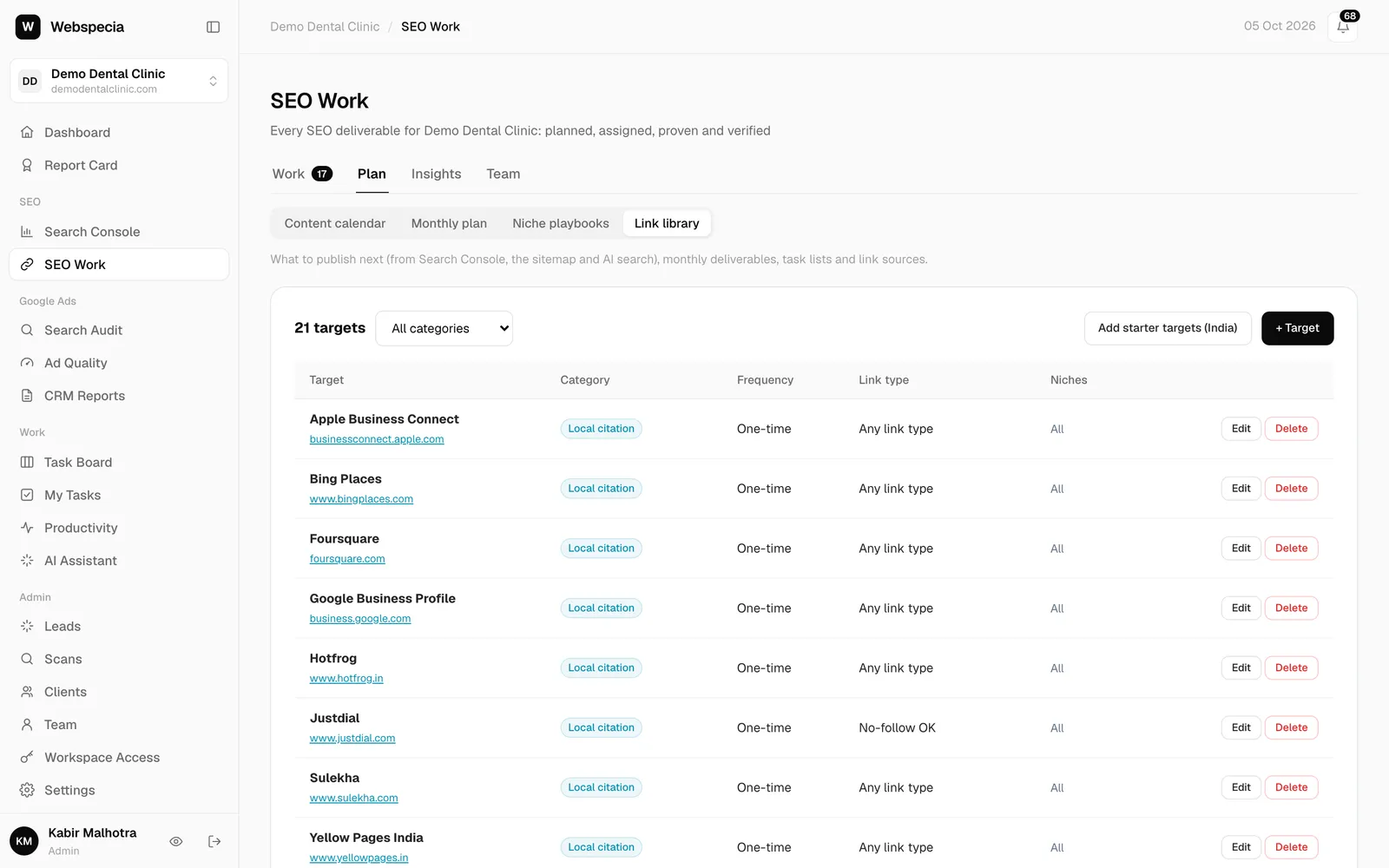
Add your own target
- Click + Site.
- Enter the Name and Site URL, and choose a Category (Local citation, Niche directory, Review platform, Web 2.0, Social profile, PR / editorial, Other).
- Choose What the SEO does (Profile, Listing / ad, Article, Answer / comment) and the Hours it takes. The hours become the deadline when an SEO takes the task.
- Choose a Frequency: One-time (a listing you create once), Weekly or Monthly (recurring posts).
- Set the Link type rule (Any, Do-follow required, No-follow OK) and an optional Min DA/DR.
- Add Submission guidelines for your team (a standard text for the type of work is used if you leave it blank).
- Save. Untick Active later to retire a target without deleting history.
Related guides
For agency owners
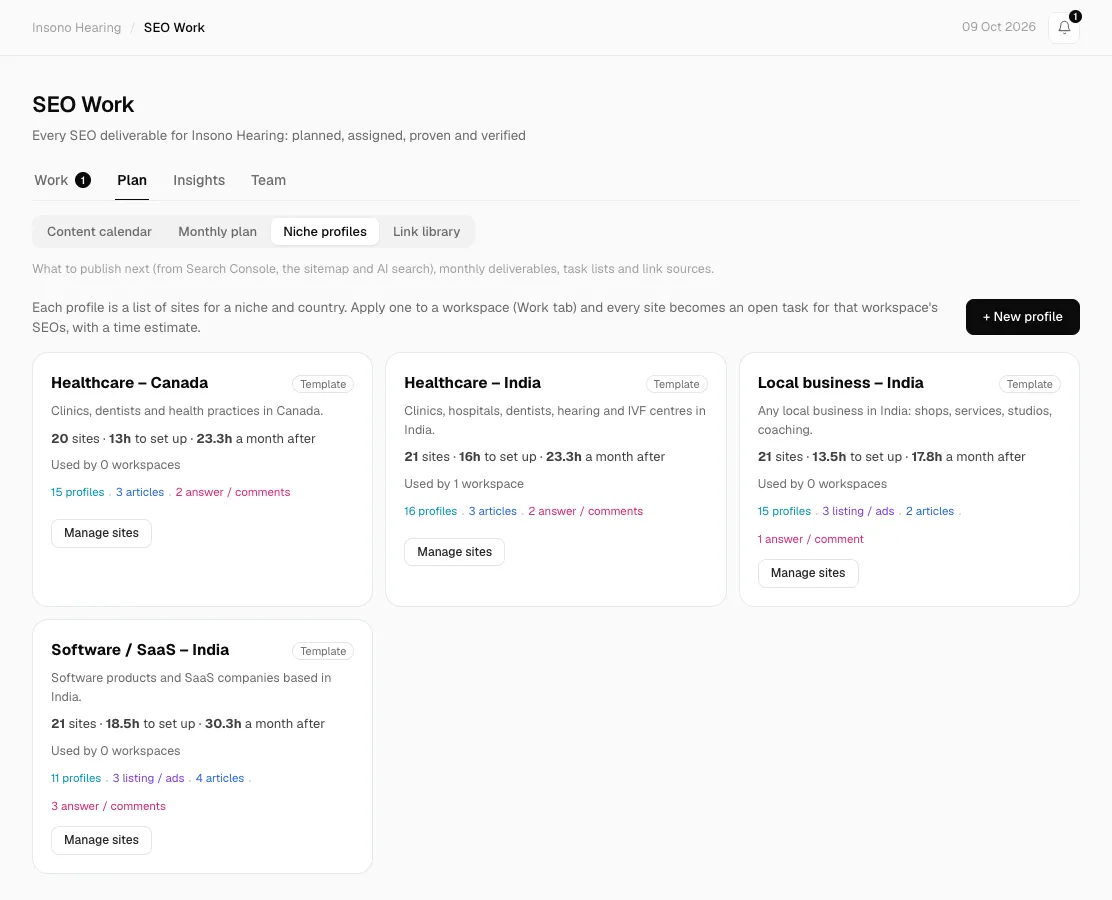
Create and apply niche profiles
A niche profile lists the sites to build links on for one type of business. Apply it and every site becomes an open task your SEOs can take.
For SEO specialists
Build backlinks and citations
Use the target, guidelines and link rules on each task to build links that pass review and stay live.
Still stuck? Our team will walk you through it.
Talk to Webspecia