
Browse all guides
For agency owners
- Get your agency account
- Create a client workspace
- Connect Google Search Console
- Add your team
- Give clients their own login
- Set monthly SEO plans
- Build your link library
- Create and apply niche profiles
- Review and approve work
- Monitor link health
- Track team performance
- Report cards and client emails
- Backlink profile
- Track AI search (AEO & GEO)
- Recurring tasks and the Task Board
For SEO specialists · 2 min read
Fix site audit issues
Run the website scan, understand critical issues and warnings, and close technical tasks.
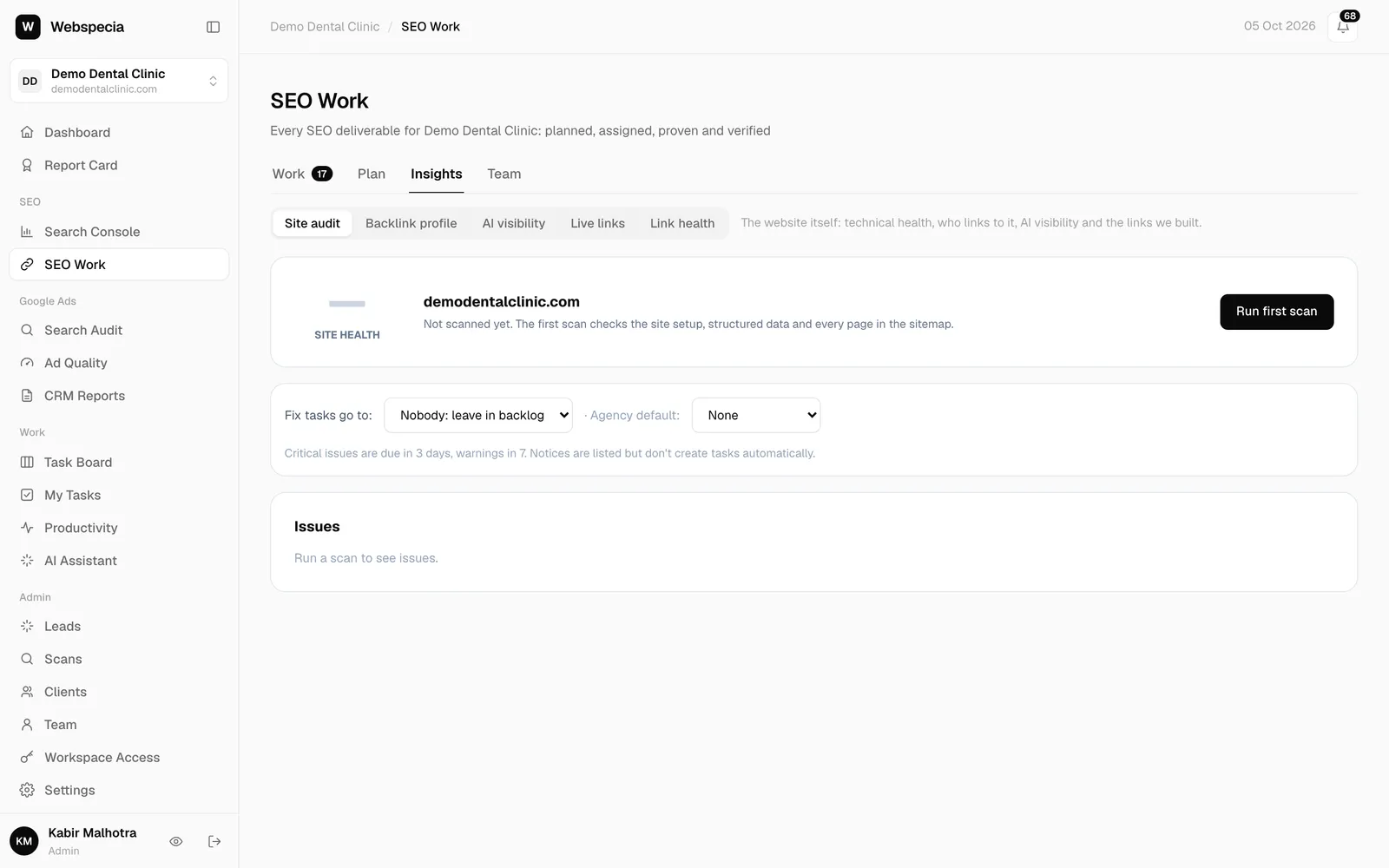
Run a scan
- Go to SEO Work → Insights → Site audit.
- Click Run first scan (or Scan again). It scans up to 500 pages; the progress bar shows how far it has got. You can leave and come back.
- Scans also run automatically every week.
What it checks
- Site setup: HTTPS redirect, www vs non-www, robots.txt, sitemap (and whether it’s submitted in Search Console), llms.txt, soft 404s.
- AI readiness: AI bots blocked by robots.txt or a firewall, and pages that only show text with JavaScript.
- Every page: errors, redirects, noindex, title, meta description, H1, canonical and structured data.
Severity
Critical issues and Warnings lower the health score; Notices are nice-to-fix. The score is the share of pages with no critical or warning issue.
Technical tasks are automatic
- On agency plans, new critical issues create a Technical task due in 3 days, and warnings one due in 7 days, for the person set in Fix tasks go to:.
- When the next scan no longer finds the issue, the task is approved automatically (“Verified fixed by site audit”).
- If a task was approved but the issue is still there, it is sent back automatically.
- Admins can also click Create task on any open issue.
Related guides
Still stuck? Our team will walk you through it.
Talk to Webspecia