
Browse all guides
For agency owners
- Get your agency account
- Create a client workspace
- Connect Google Search Console
- Add your team
- Give clients their own login
- Set monthly SEO plans
- Build your link library
- Create and apply niche profiles
- Review and approve work
- Monitor link health
- Track team performance
- Report cards and client emails
- Backlink profile
- Track AI search (AEO & GEO)
- Recurring tasks and the Task Board
For SEO specialists · 2 min read
Build backlinks and citations
Use the target, guidelines and link rules on each task to build links that pass review and stay live.
Before you start
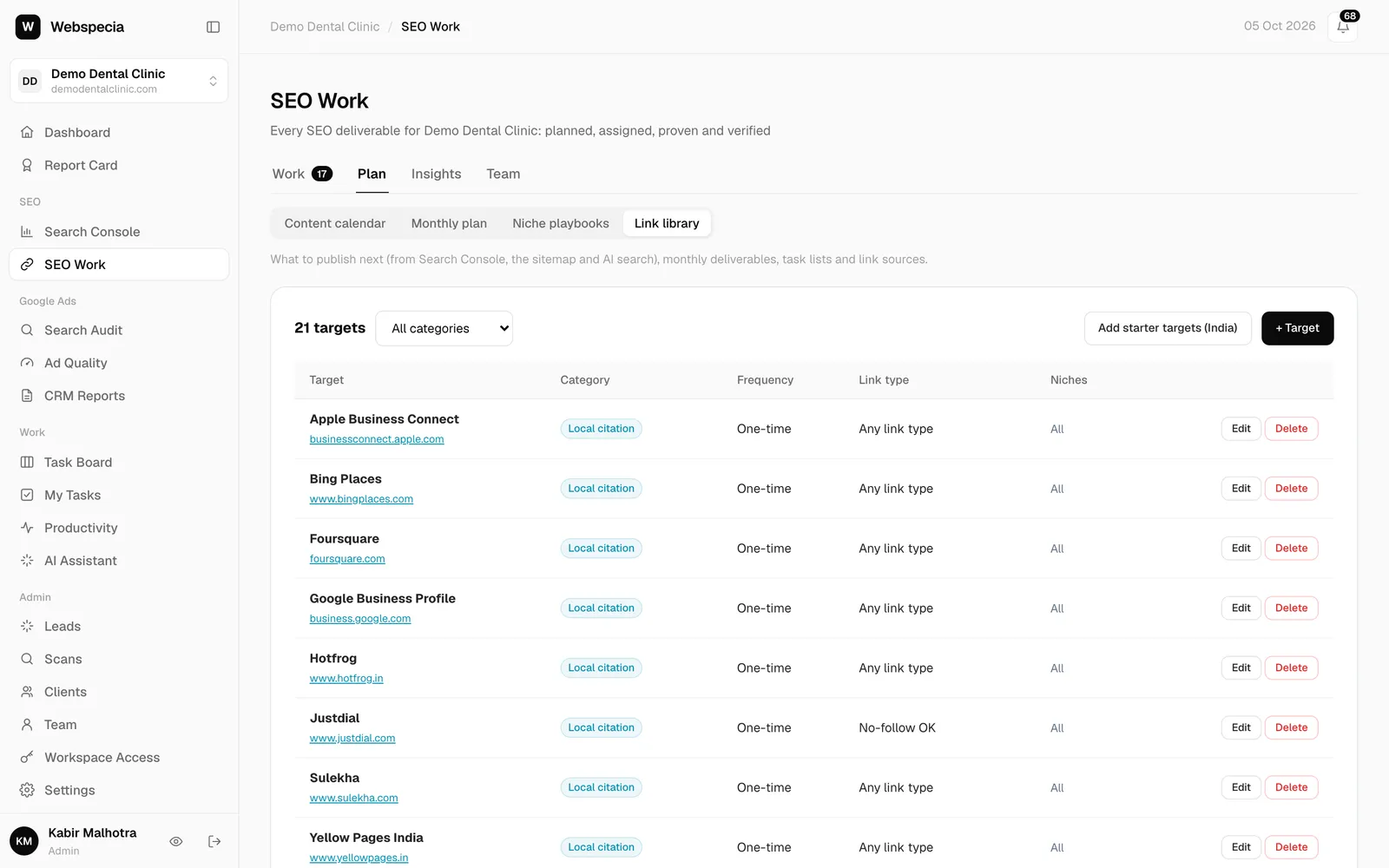
- Expand the card: it shows the target site, the link type required (Do-follow required, No-follow OK, or any), the minimum DA/DR and the submission guidelines from the link library.
- Use the client’s exact business name, address and phone number (NAP) as shown on their Google Business Profile.
Step by step
- Take the task in the Task Hub (or click Start if an admin assigned it to you).
- Create the listing, profile or post on the target site, following the guidelines.
- Link to the client’s website. Use the business name as anchor for citations, or the anchor in the instructions.
- Open the live page in a private window to make sure it’s public and the link works.
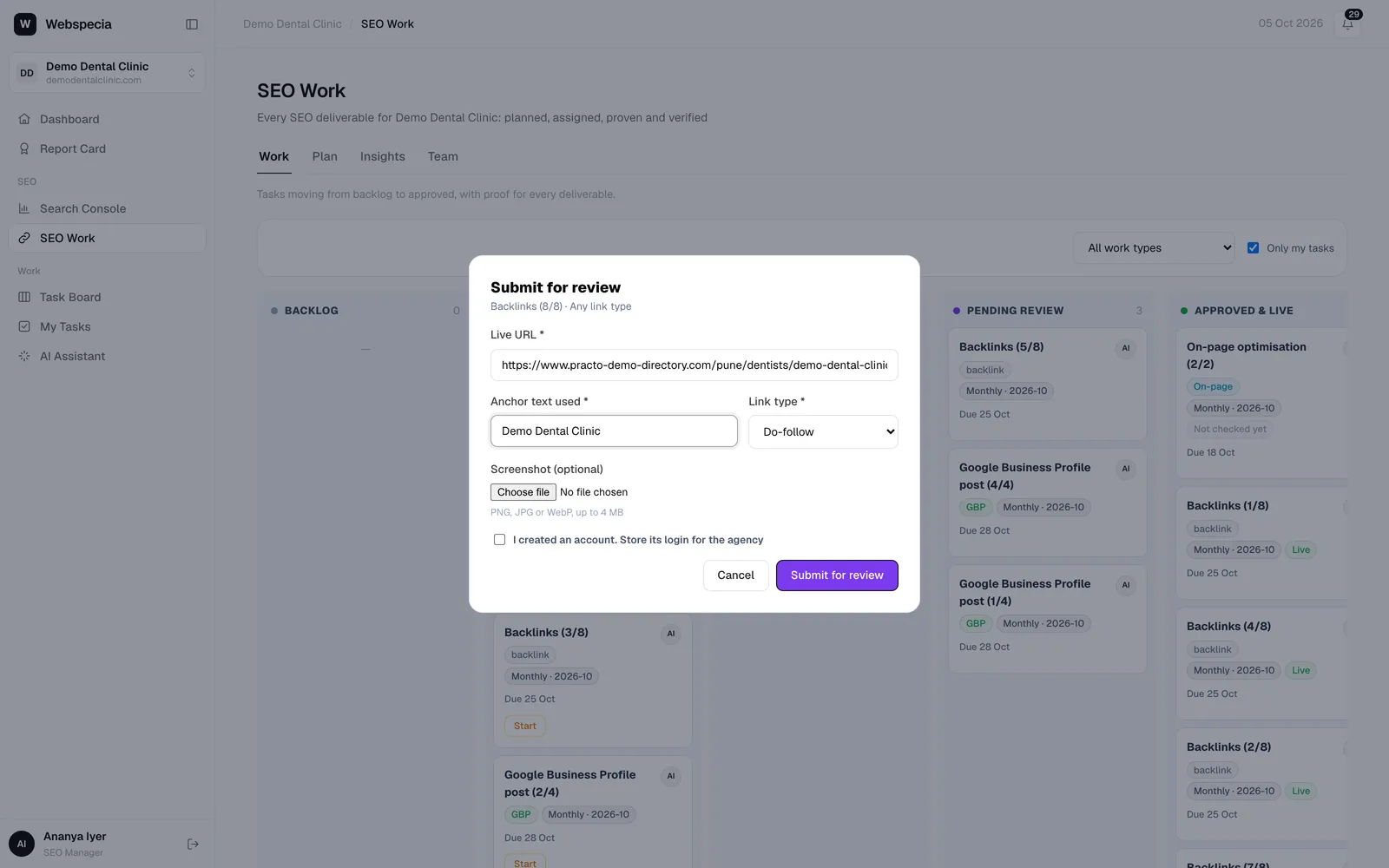
- Click Submit for review: paste the Live URL, the Anchor text used and the real Link type. Store the account login if you created one.
After approval
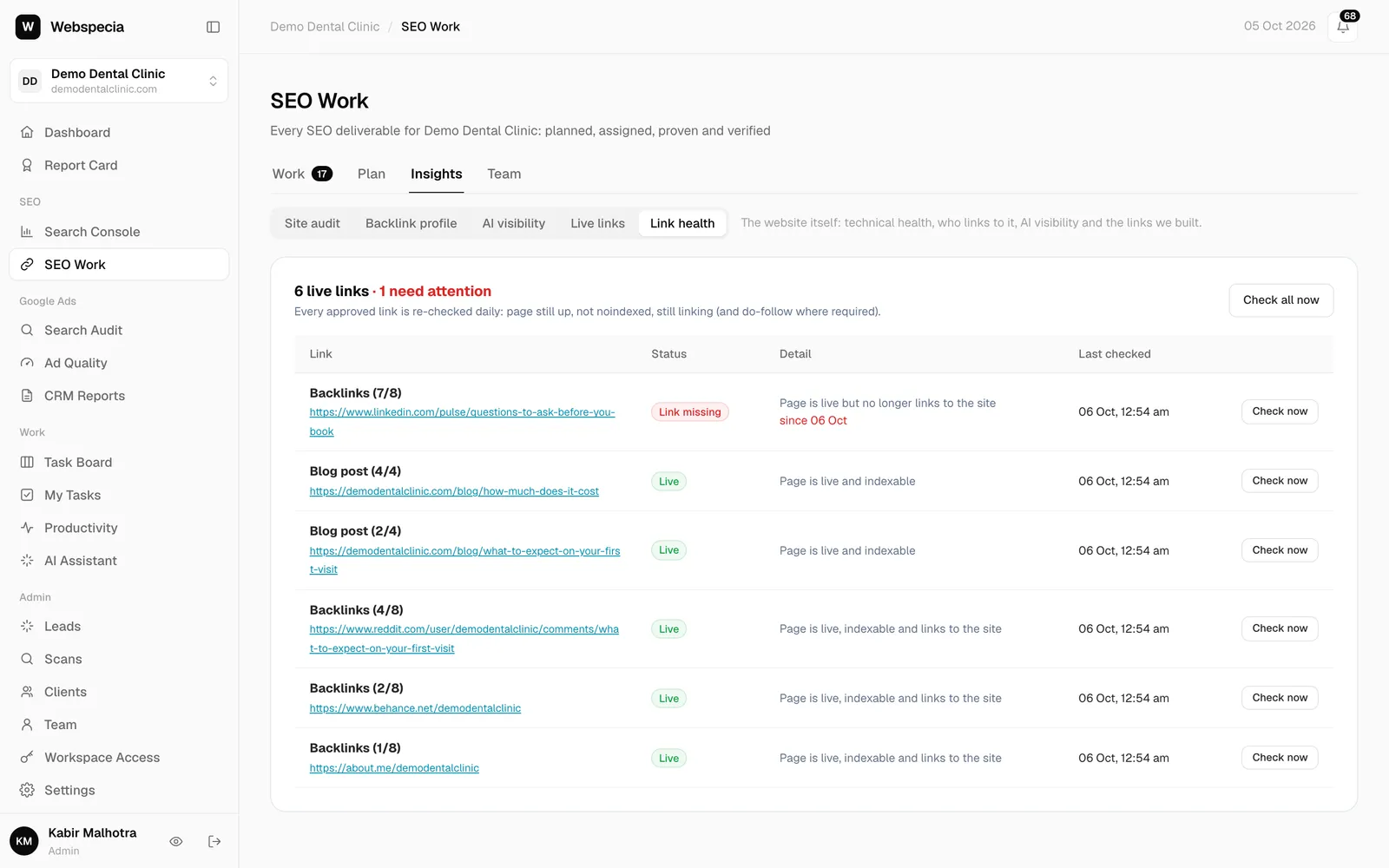
The link is checked every day. If the page disappears, the link is removed or it turns no-follow, you get a Link problem notification. Statuses are explained in Monitor link health.
Still stuck? Our team will walk you through it.
Talk to Webspecia