
Browse all guides
- Get your agency account
- Create a client workspace
- Connect Google Search Console
- Add your team
- Give clients their own login
- Set monthly SEO plans
- Build your link library
- Create and apply niche profiles
- Review and approve work
- Monitor link health
- Track team performance
- Report cards and client emails
- Backlink profile
- Track AI search (AEO & GEO)
- Recurring tasks and the Task Board
For agency owners · 2 min read
Monitor link health
Every approved link is re-checked daily. Here is what each status means and what to do about it.
Approved backlinks and published content are checked automatically every day. If something breaks, the person who built it and the admins get a Link problem notification, usually before the client notices.
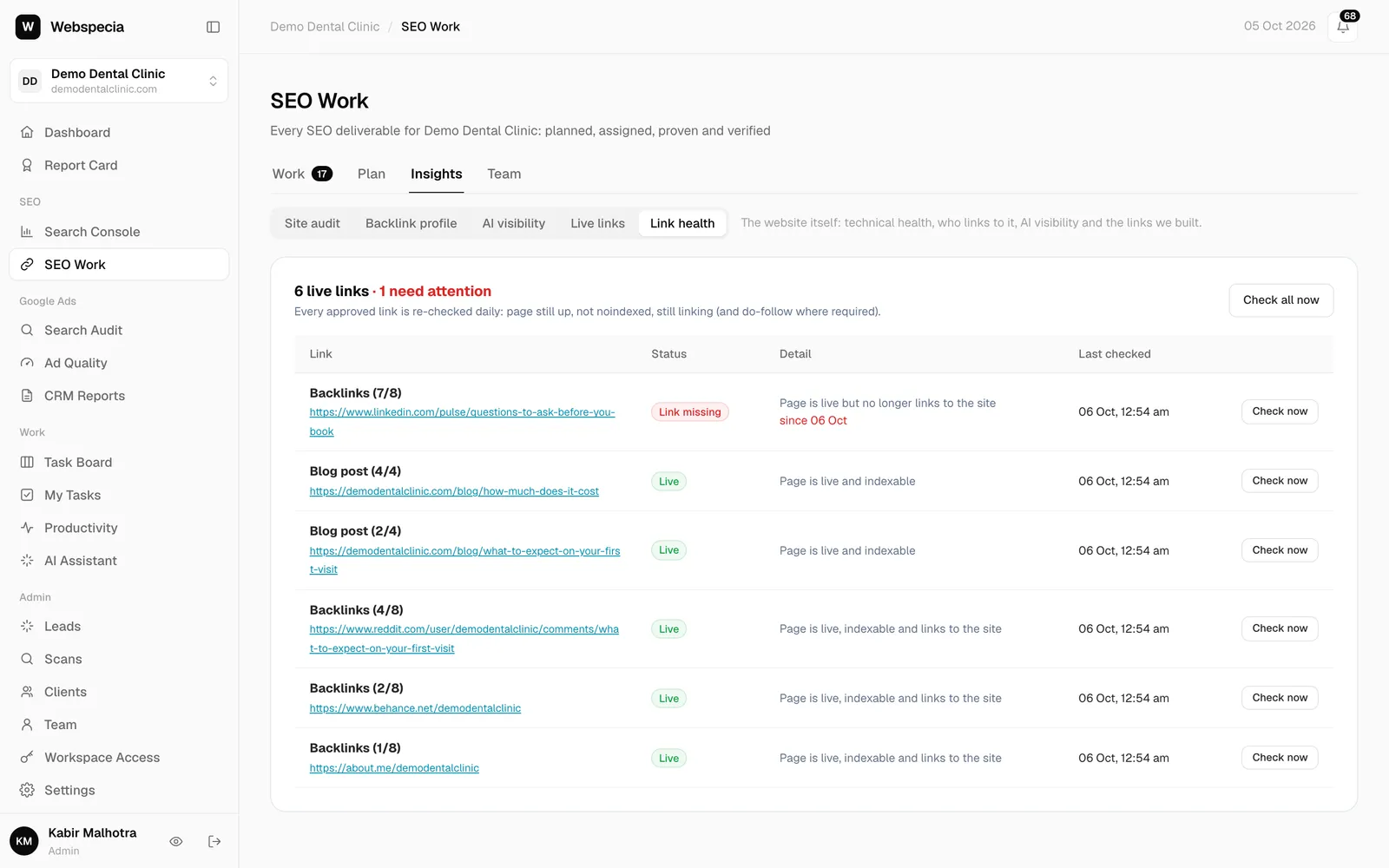
What each status means
| Status | Meaning | What to do |
|---|---|---|
| Live | The page is up, indexable and links to the client. | Nothing. |
| Listed, no link | The business is listed by name but not linked (normal for some citations). | Nothing, unless a link was required. |
| Link missing | The page is up but no longer links to the client. | Ask the site to restore it or rebuild elsewhere. |
| Now no-follow | A do-follow link has become no-follow, UGC or sponsored. | Contact the site, or replace the link. |
| Page noindexed | Google has been told not to index the page. | Replace the link. |
| Page gone (404) | The page no longer exists. | Rebuild the link. |
| Page error | The site returned an error. | Check again later. |
| Can’t verify | The site blocks automated checks. | Check it by hand occasionally. |
Check now
In SEO Work → Insights → Link health click Check now on a row, or Check all now for up to 60 links. Problems show “since <date>” so you know how long they’ve been broken.
Share the links you built
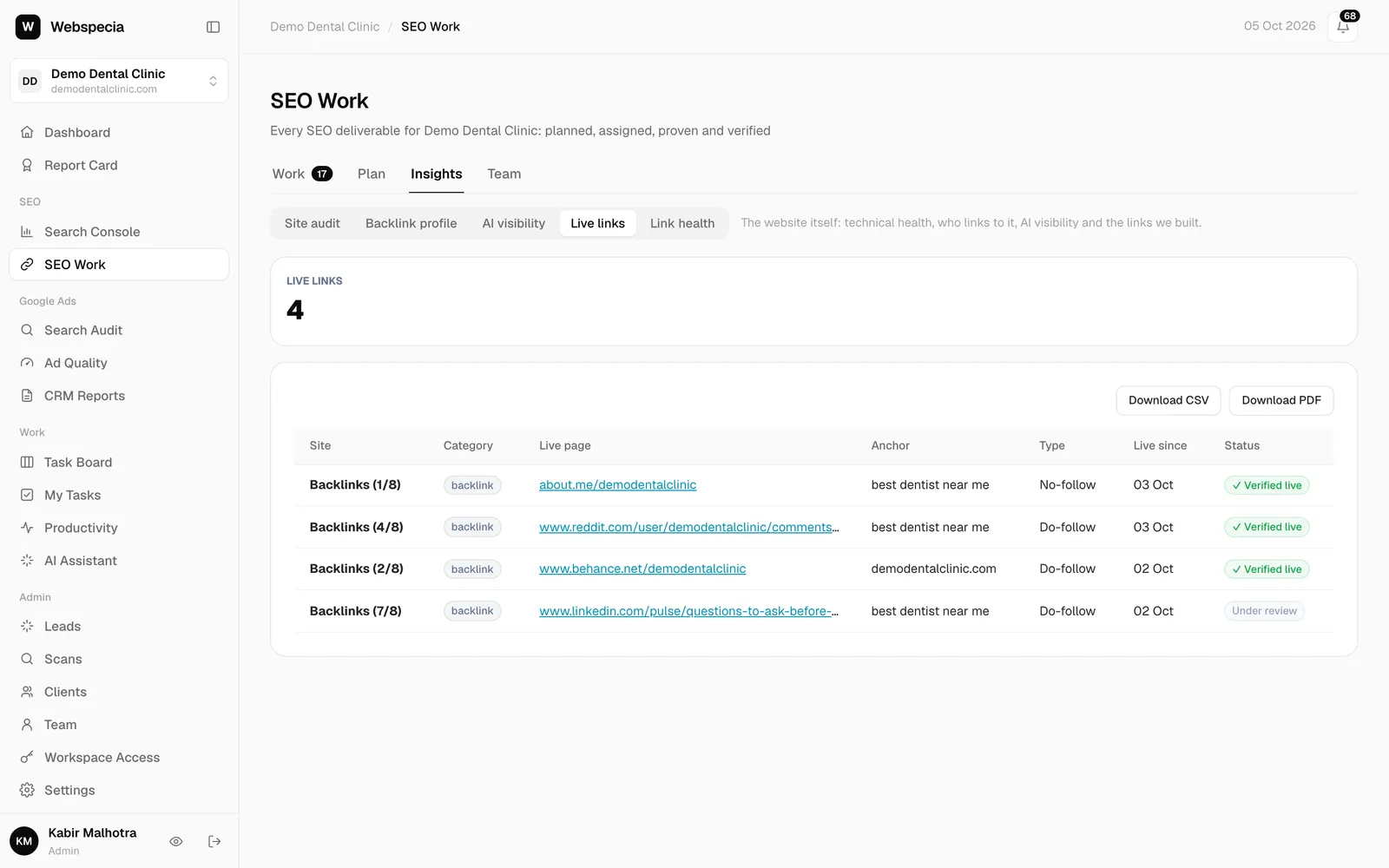
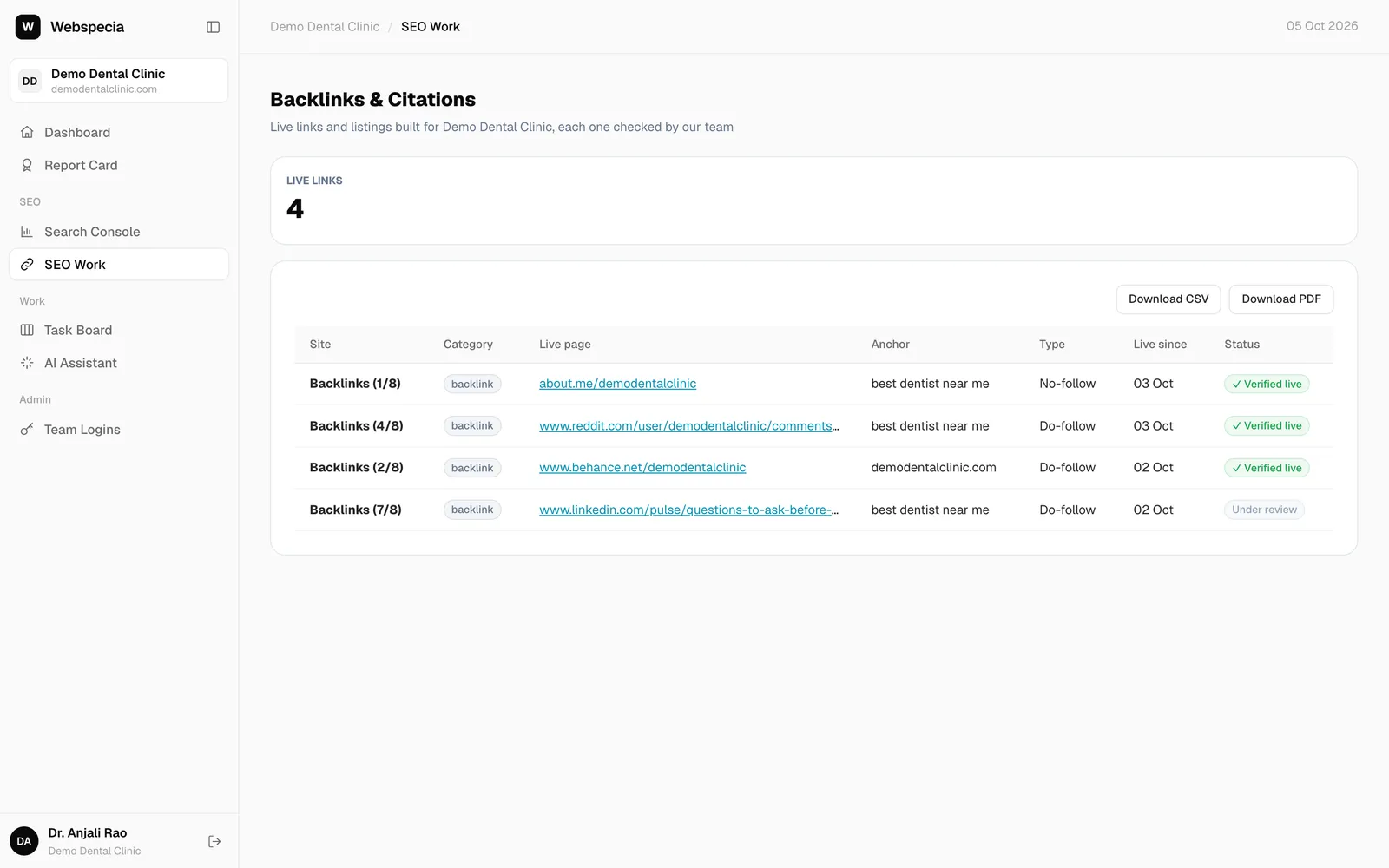
Insights → Live links lists every approved backlink with category tiles. Use Download CSV or Download PDF (Webspecia-branded) to send to the client. Clients see the same list in their own login, with simple “✓ Verified live” wording.
Still stuck? Our team will walk you through it.
Talk to Webspecia