
Browse all guides
For agency owners
- Get your agency account
- Create a client workspace
- Connect Google Search Console
- Add your team
- Give clients their own login
- Set monthly SEO plans
- Build your link library
- Create and apply niche profiles
- Review and approve work
- Monitor link health
- Track team performance
- Report cards and client emails
- Backlink profile
- Track AI search (AEO & GEO)
- Recurring tasks and the Task Board
For agency owners · 2 min read
Recurring tasks and the Task Board
Set up daily and weekly checklists for your team, and see all operational work on one board.
Alongside the SEO pipeline, AgencyHub has a simple task system for operational work: daily Search Console checks, weekly rank reviews, review replies and so on.
Create a recurring template
- Open My Tasks and switch to the Templates tab.
- Click + Add Template.
- Enter a Title, Description, who to Assign To, and the Frequency (Daily, Weekly or One-Time). For weekly tasks choose the Day of Week and Due Time.
- Optionally pick a Client and add Checklist Items with + Add.
- Click Create Template.
Generate today’s tasks
Click ⚡ Generate Recurring in My Tasks (Team Tasks view). It creates today’s daily tasks and this weekday’s weekly tasks. Running it twice on the same day never creates duplicates.
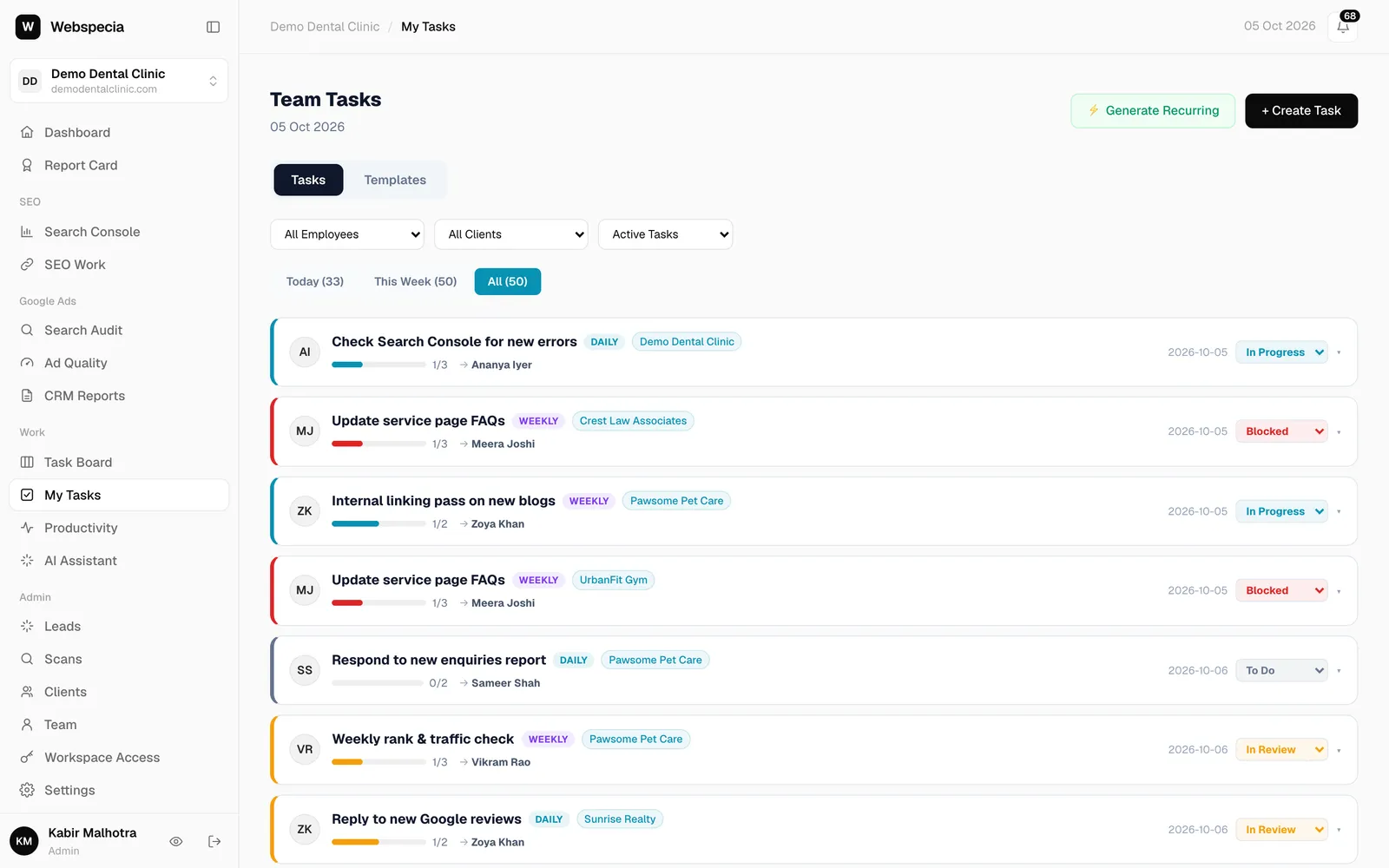
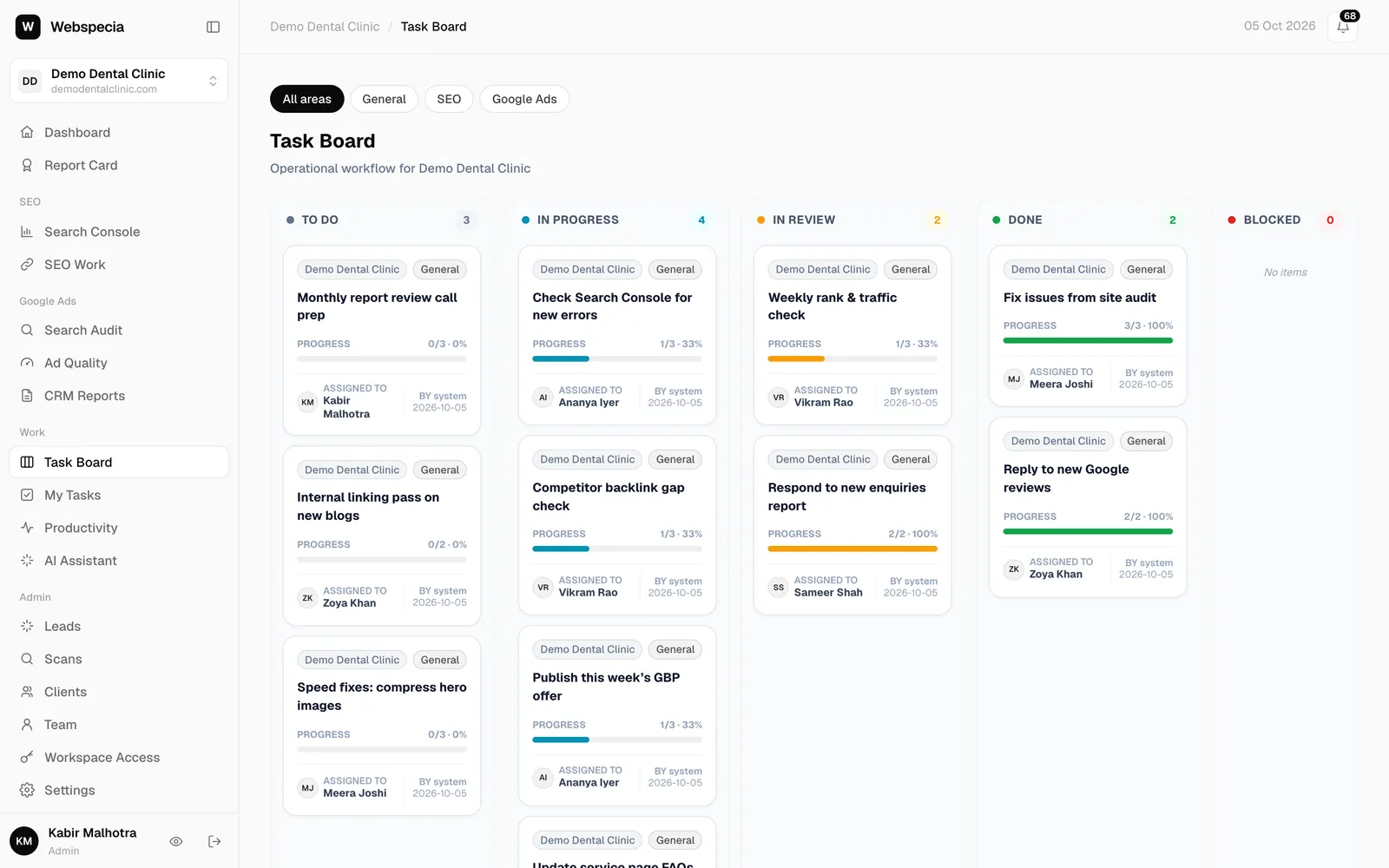
The Task Board
The Task Board shows every task for the open workspace in five columns: To Do, In Progress, In Review, Done and Blocked, with checklist progress and the assignee. Filter by General, SEO or Google Ads.
Still stuck? Our team will walk you through it.
Talk to Webspecia