
Browse all guides
For agency owners
- Get your agency account
- Create a client workspace
- Connect Google Search Console
- Add your team
- Give clients their own login
- Set monthly SEO plans
- Build your link library
- Create and apply niche profiles
- Review and approve work
- Monitor link health
- Track team performance
- Report cards and client emails
- Backlink profile
- Track AI search (AEO & GEO)
- Recurring tasks and the Task Board
For agency owners · 2 min read
Track AI search (AEO & GEO)
Find out whether ChatGPT, Gemini and Google AI Overviews recommend your client, and who they recommend instead.
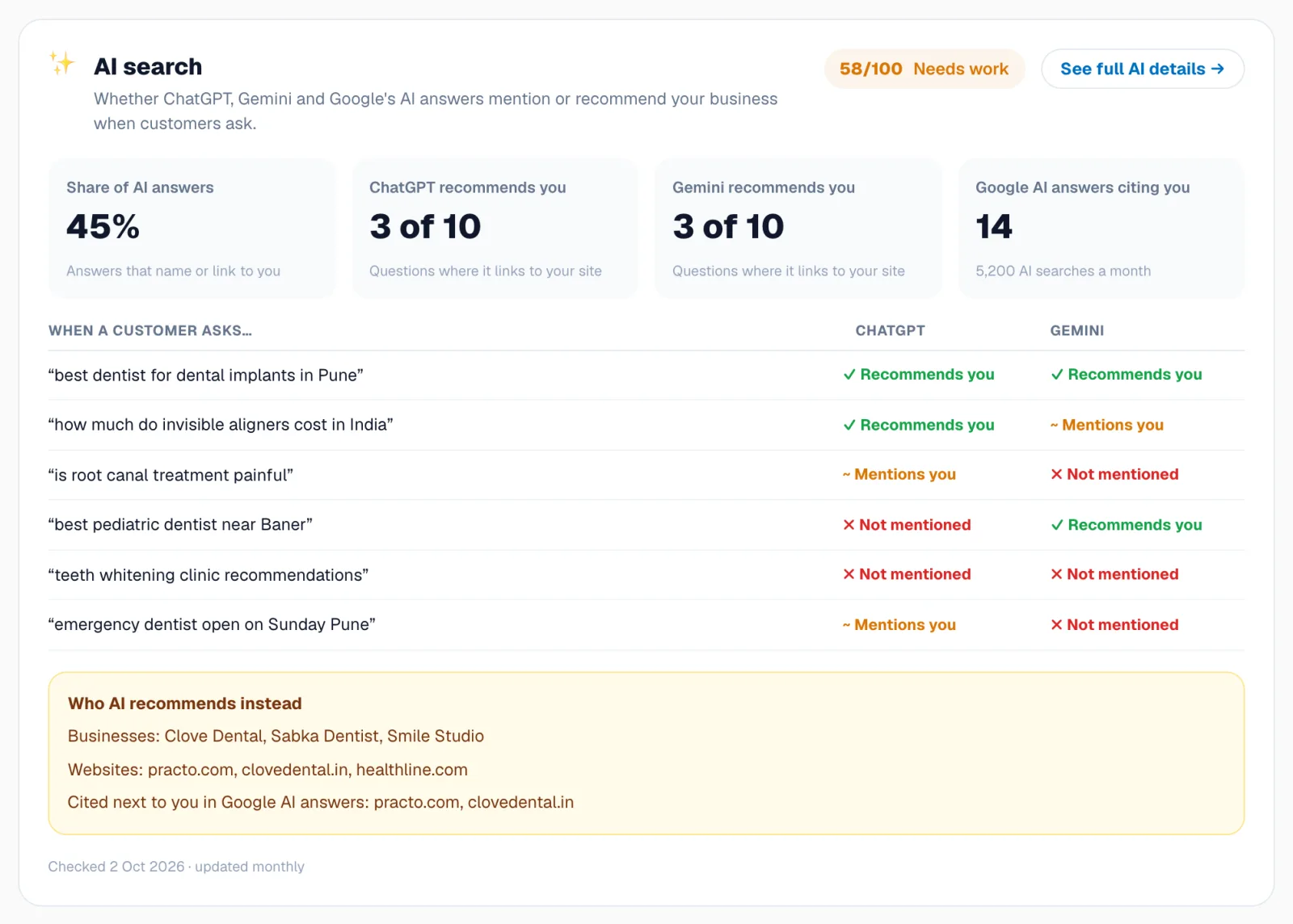
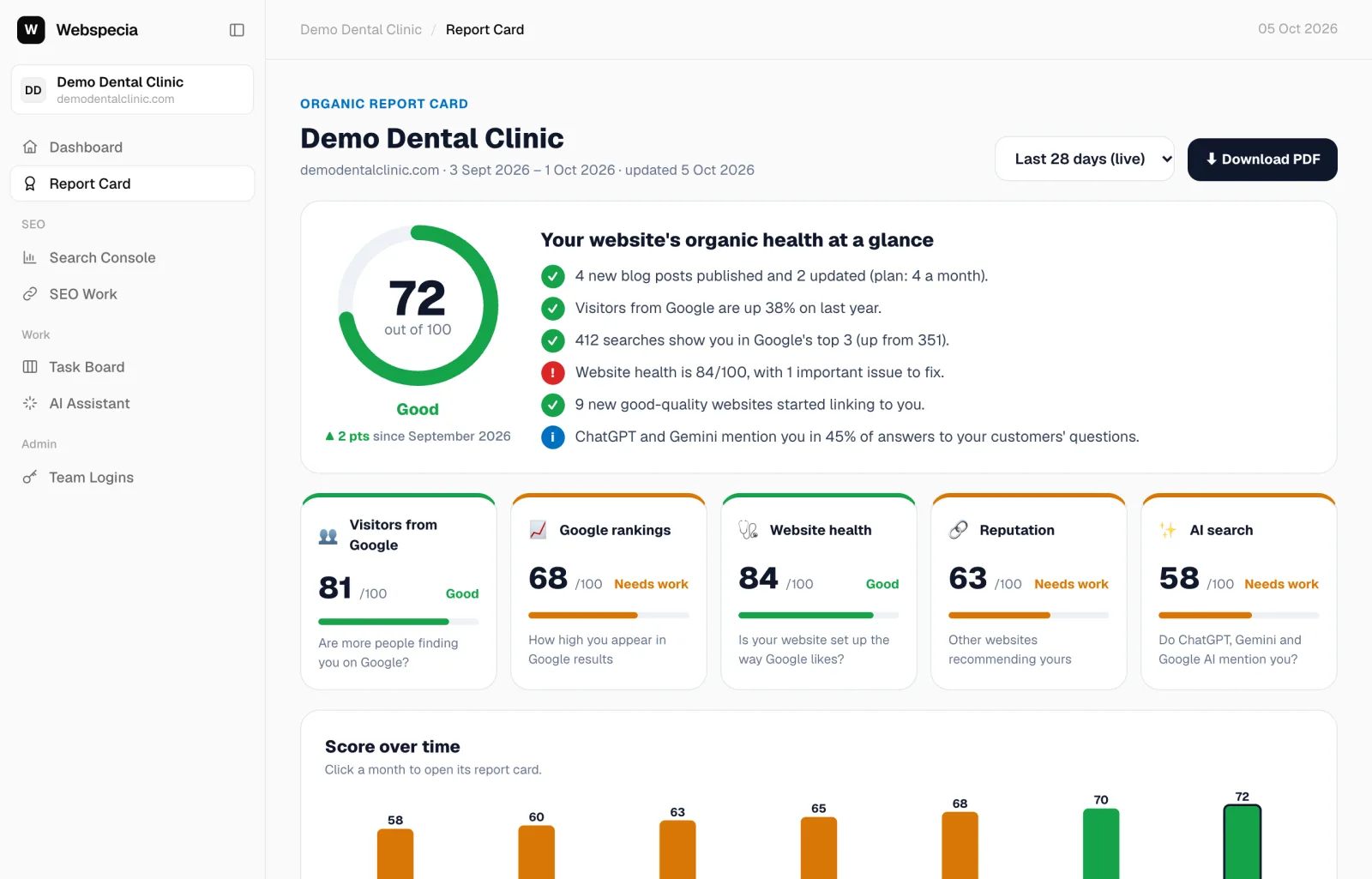
Every month AgencyHub asks ChatGPT (with web search) and Gemini the questions your client’s customers ask, and checks which Google AI Overviews cite the site. Results feed the AI search pillar of the report card.
Set it up
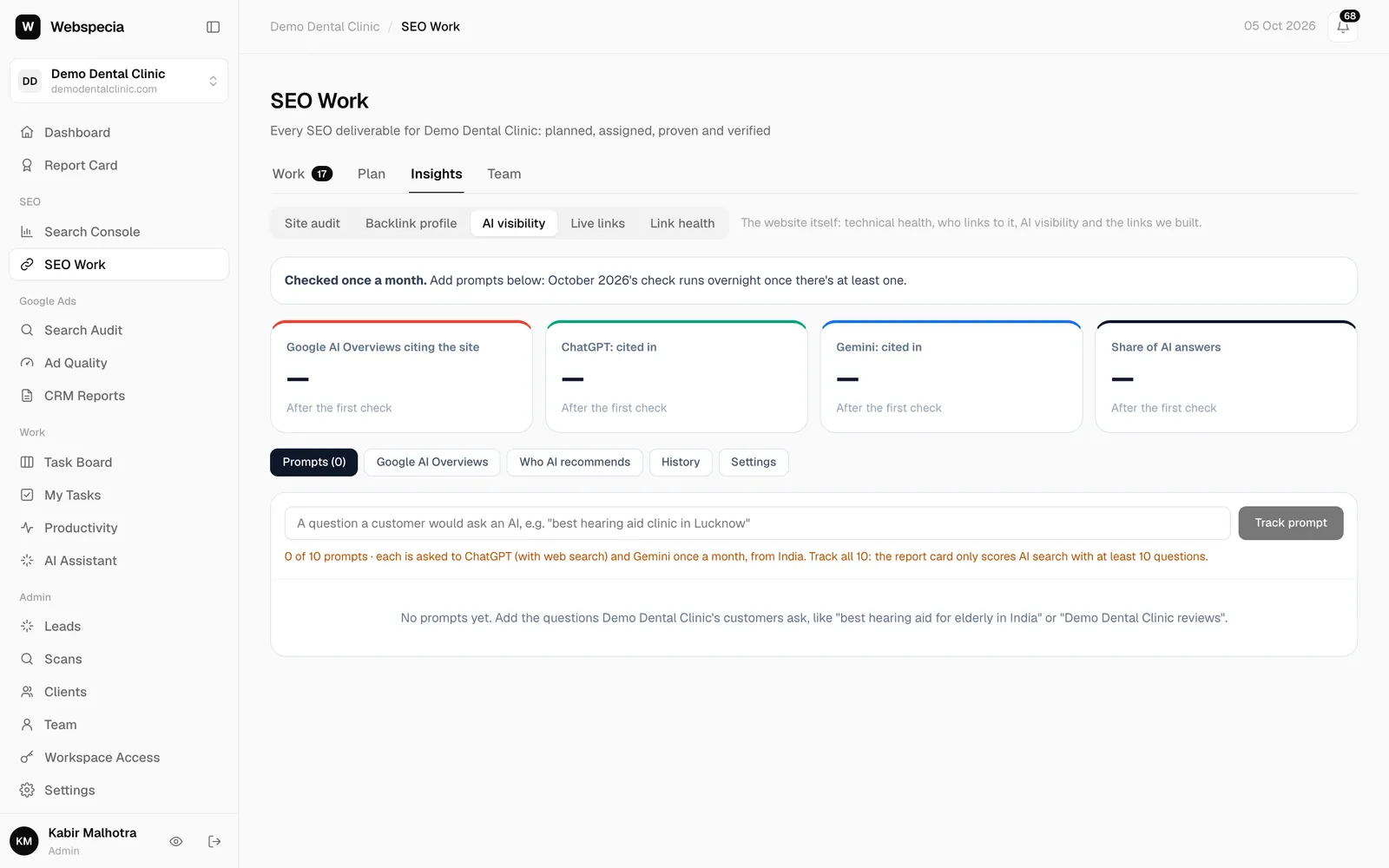
- Go to SEO Work → Insights → AI visibility.
- Type a question a customer would ask, for example “best dentist for implants in Pune”, and click Track prompt. Suggestions from Search Console appear as + keyword buttons.
- Add 10 prompts. The report card only scores AI search once 10 are tracked.
- Open the Settings tab and choose the Country and the Brand names to look for.
Read the results
- Each prompt gets Cited #n, Mentioned or Not mentioned for ChatGPT and for Gemini. Click it to read the answer and its sources.
- Who AI recommends lists the competitors AI names instead.
- Since last month shows gains and losses.
Turn gaps into work
On a prompt where you are not cited, click Create task to add a content task to the pipeline. Uncited prompts also appear as AI answer ideas in the content calendar.
Related guides
Still stuck? Our team will walk you through it.
Talk to Webspecia