
Browse all guides
For agency owners
- Get your agency account
- Create a client workspace
- Connect Google Search Console
- Add your team
- Give clients their own login
- Set monthly SEO plans
- Build your link library
- Create and apply niche profiles
- Review and approve work
- Monitor link health
- Track team performance
- Report cards and client emails
- Backlink profile
- Track AI search (AEO & GEO)
- Recurring tasks and the Task Board
For SEO specialists · 2 min read
Improve AI search visibility
Read the monthly ChatGPT and Gemini results and turn questions where the client is missing into content.
SEO Work → Insights → AI visibility shows, for each tracked customer question, whether ChatGPT and Gemini cite, mention or don’t mention the client, and who they recommend instead. Setup is covered in Track AI search.
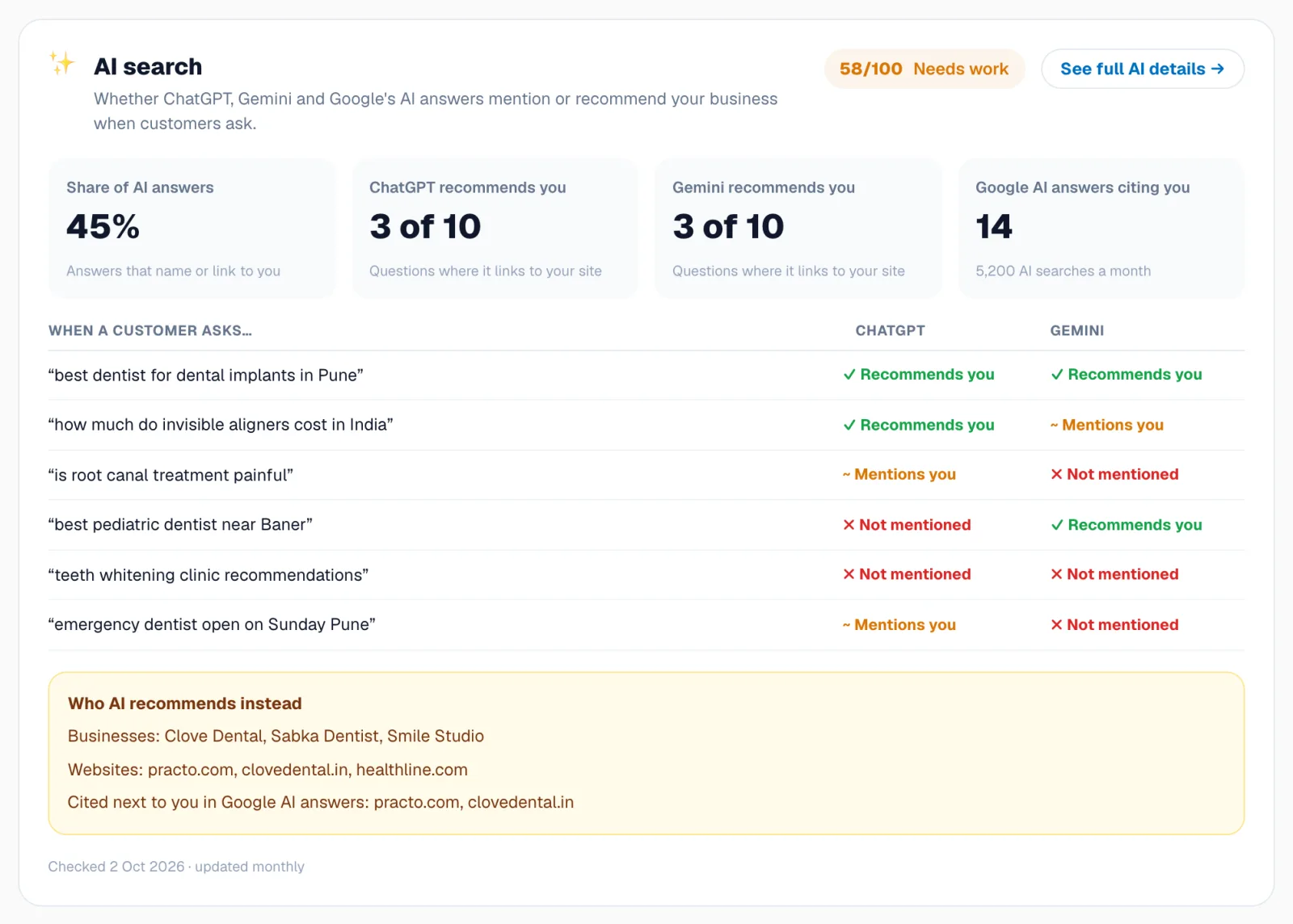
What to do with “Not mentioned”
- Click the result chip to read the AI’s answer and the sources it used.
- Note which sites it cites. Those are the pages AI trusts for this question.
- Create or improve a page that answers the question directly: a clear answer in the first paragraph, FAQs, the business name, location and proof (reviews, credentials).
- Get the business listed or mentioned on the cited sources where possible (directories, review sites, articles).
- Make sure AI bots aren’t blocked: check the AI readiness items in the site audit.
Related guides
For agency owners
Track AI search (AEO & GEO)
Find out whether ChatGPT, Gemini and Google AI Overviews recommend your client, and who they recommend instead.
For SEO specialists
Publish content from the calendar
Pick content ideas from real Search Console data, schedule them, write from AI briefs and track results.
Still stuck? Our team will walk you through it.
Talk to Webspecia