
Browse all guides
- Get your agency account
- Create a client workspace
- Connect Google Search Console
- Add your team
- Give clients their own login
- Set monthly SEO plans
- Build your link library
- Create and apply niche profiles
- Review and approve work
- Monitor link health
- Track team performance
- Report cards and client emails
- Backlink profile
- Track AI search (AEO & GEO)
- Recurring tasks and the Task Board
For SEO specialists · 2 min read
Your daily routine
A simple order of work: notifications, overdue tasks, today’s checklist, then the pipeline.
When you log in you land on My work: your tasks from every workspace you work on, a health card per workspace (score, change since last month, visitors), and one-click Take, Complete and Give back. To work inside one client (its report card, Search Console, SEO work), click Go to a workspace in the top-right corner, a workspace card, or the workspace name on a task. Super admins land on Team overview: what is waiting for review, overdue tasks, unassigned work and new leads.
- Check the bell. Anything sent back or any link problem comes first.
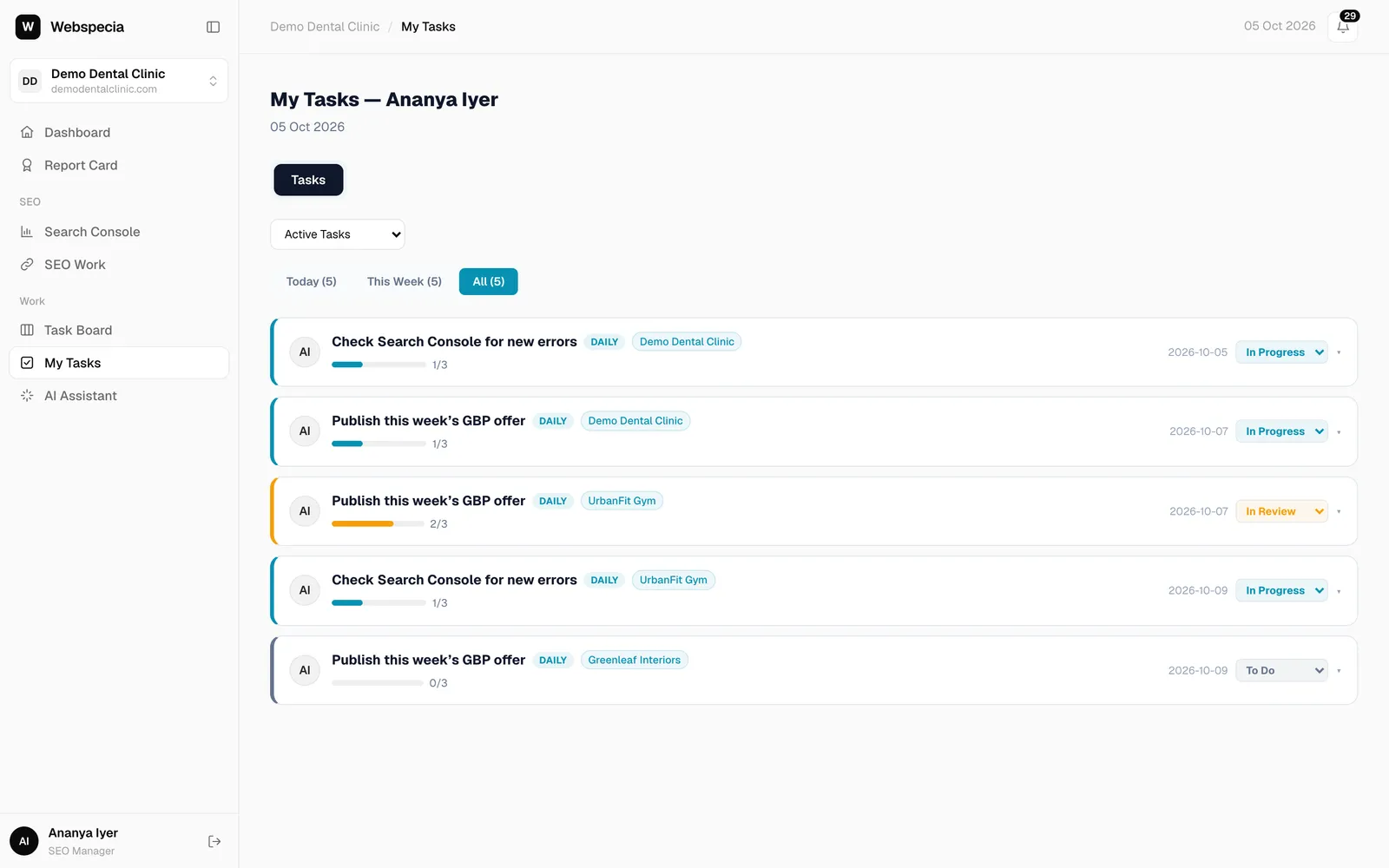
- Open My Tasks. Overdue tasks are shown first with an orange banner. Use Today, This Week or All.
- Work through today’s checklist tasks. Open a task, tick its checklist items, change its status to In Progress or Done, and add notes in Remarks / Notes → Save Remarks.
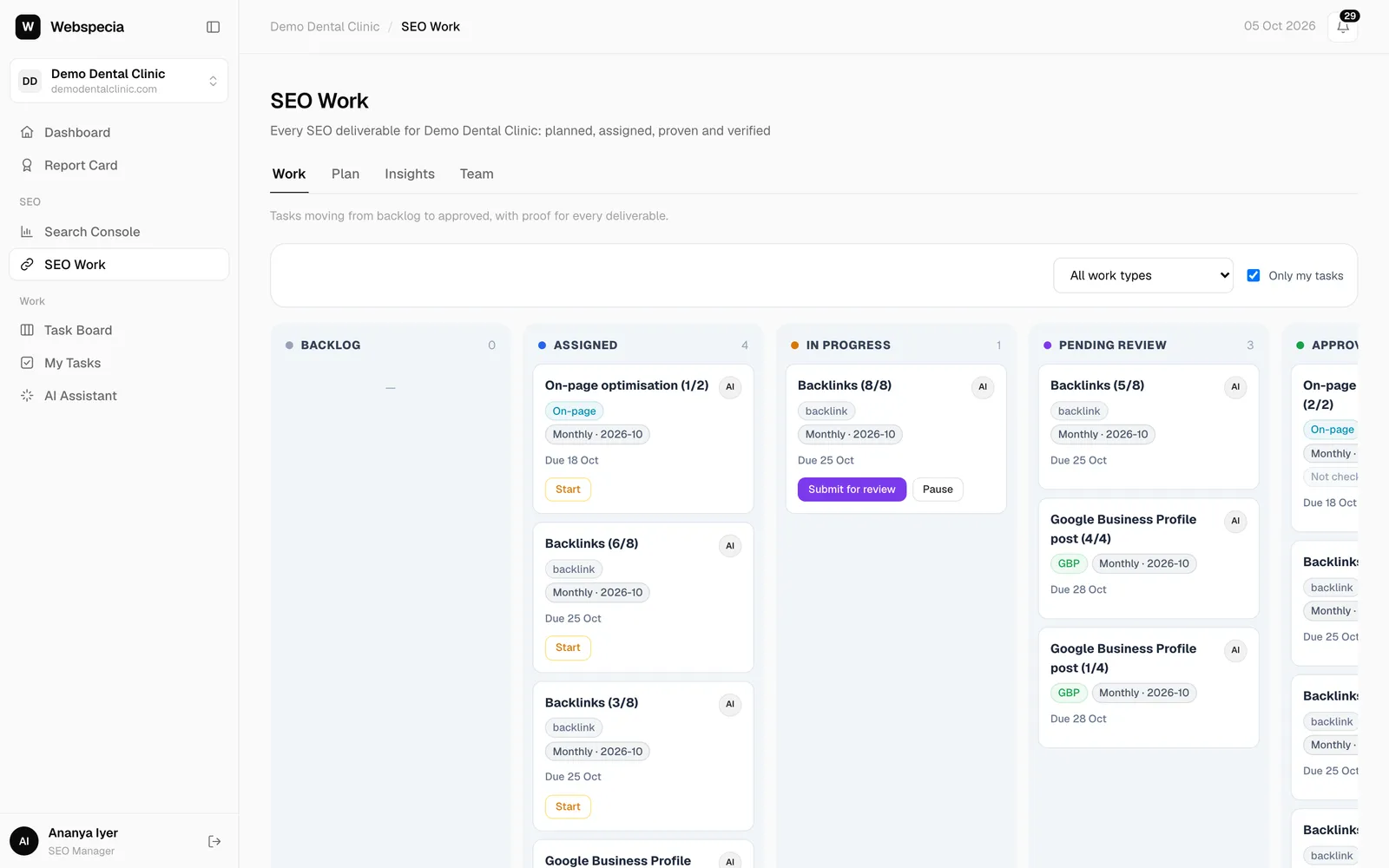
- Open SEO Work → Pipeline with Only my tasks ticked, and pick the task due soonest.
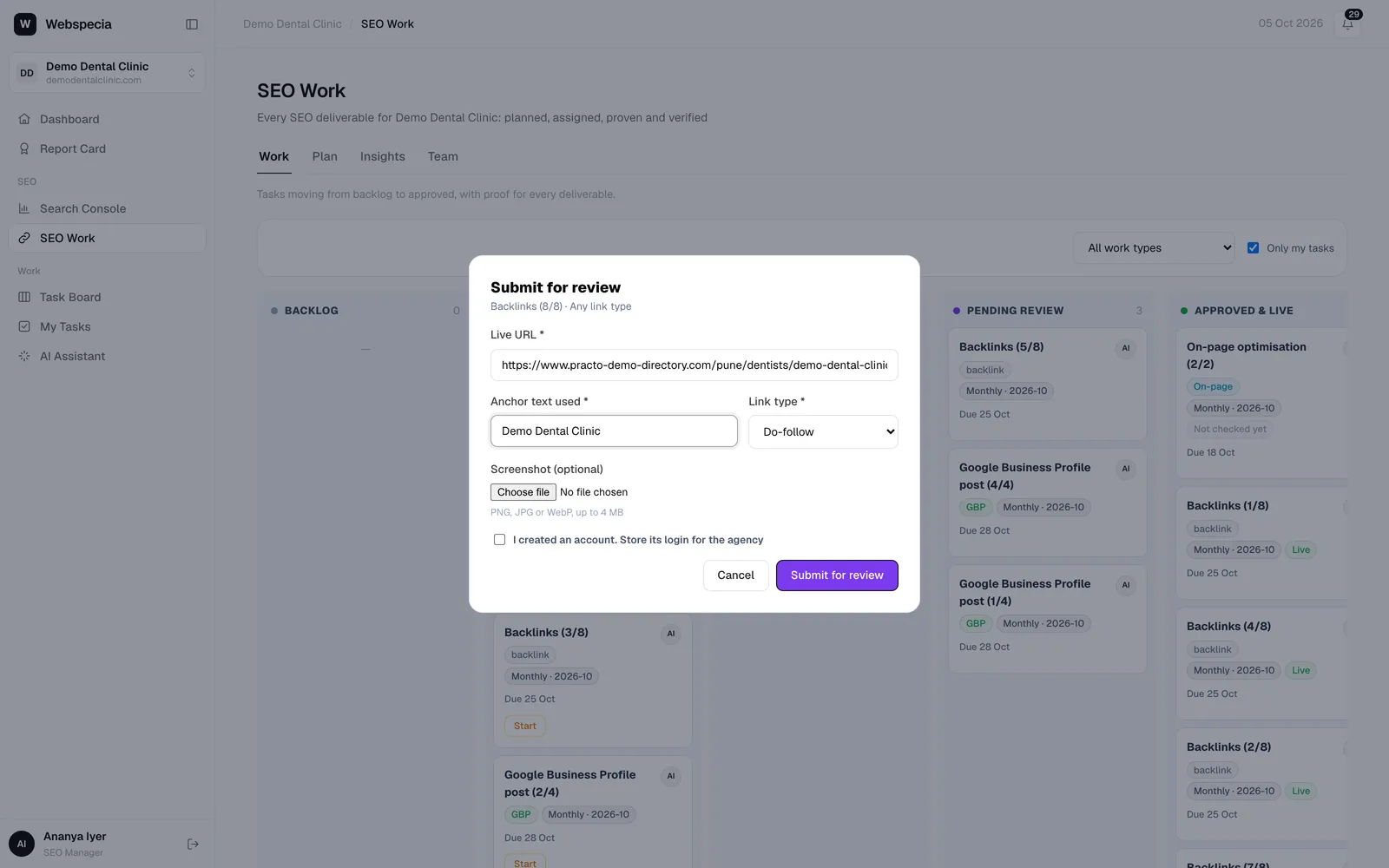
- Submit as you go. Don’t batch submissions at the end of the month; approvals and pacing depend on them.
Due dates
Pipeline cards show Due DD Mon. A card turns red with · overdue once the date has passed and the work hasn’t been submitted.
Still stuck? Our team will walk you through it.
Talk to Webspecia