
Browse all guides
For agency owners
- Get your agency account
- Create a client workspace
- Connect Google Search Console
- Add your team
- Give clients their own login
- Set monthly SEO plans
- Build your link library
- Create and apply niche profiles
- Review and approve work
- Monitor link health
- Track team performance
- Report cards and client emails
- Backlink profile
- Track AI search (AEO & GEO)
- Recurring tasks and the Task Board
Start here · 3 min read
Roles and permissions
Exactly what each agency role and each client access level can see and do.
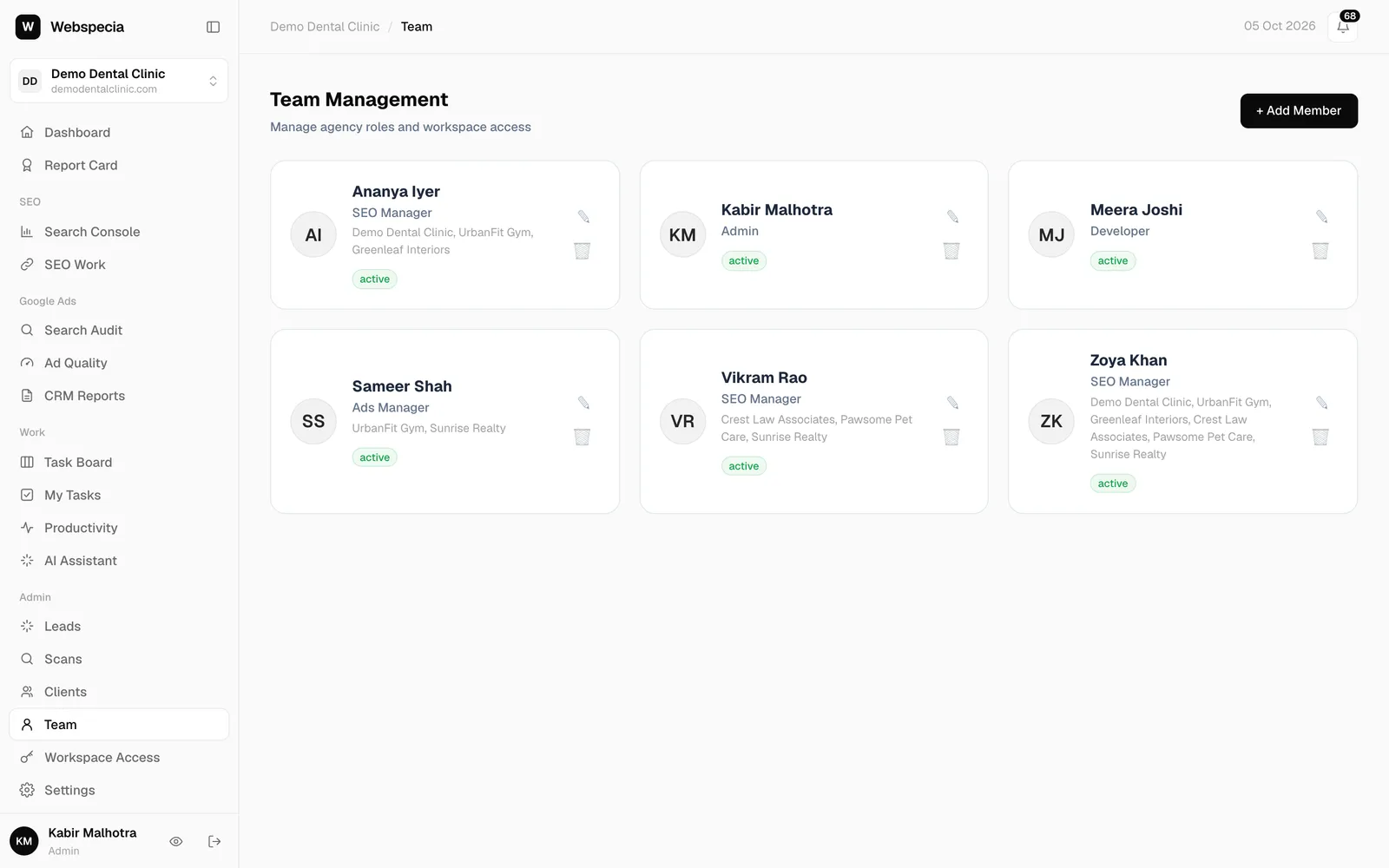
There are two kinds of login: agency team logins (created under Team) and client logins (created under Workspace Access, or by a client’s CEO under Team Logins).
Agency team roles
| Role | Workspaces | What they can use |
|---|---|---|
| Admin (super admin) | All | Everything, including Team, Workspace Access, plans, niche profiles, approvals, emails and settings. |
| SEO Lead / Ads Lead / Dev Lead | Only the ones ticked for them | Everything their department’s executives use, plus supervising them (always only in the workspaces ticked for them, even alongside other roles): create and assign tasks, approve or send back submitted work (never their own), the team’s numbers and recurring tasks for their department. They take tasks too. |
| SEO Manager | Only the ones ticked for them | Search Console, SEO Work, Report Card, plus My work (home) and the Task Hub. |
| Ads Manager | Only the ones ticked for them | Search Audit, Ad Quality, CRM Reports, plus My work (home) and the Task Hub. |
| CRM Reporting | All | Dashboard, Clients, CRM Reports, My Tasks and Search Console. |
| Developer / Adwords | All | All non-admin pages in every workspace. |
Only super admins can create workspaces, add team members, and edit monthly plans, niche profiles and the link library. Submitted work is approved by a super admin or the lead of its department; a lead’s own work goes to another lead or a super admin. Overriding a failed live-page check stays with super admins. See Add your team.
Client access levels
| Access level | What they see | Can delete? |
|---|---|---|
| CEO | Everything in their workspace, plus Team Logins to add their own staff. | Yes |
| Staff | Everything in their workspace. | No |
| SEO Manager | Search Console, SEO Work, Report Card and shared pages. | No |
| Ads Manager | Google Ads pages and shared pages. | No |
Client logins never see agency pages, other workspaces or other clients. See Give clients their own login.
Still stuck? Our team will walk you through it.
Talk to Webspecia