
Browse all guides
For agency owners
- Get your agency account
- Create a client workspace
- Connect Google Search Console
- Add your team
- Give clients their own login
- Set monthly SEO plans
- Build your link library
- Create and apply niche profiles
- Review and approve work
- Monitor link health
- Track team performance
- Report cards and client emails
- Backlink profile
- Track AI search (AEO & GEO)
- Recurring tasks and the Task Board
For clients & business owners · 2 min read
See the links built for you
Every backlink and citation your agency built, checked live, downloadable as CSV or PDF.
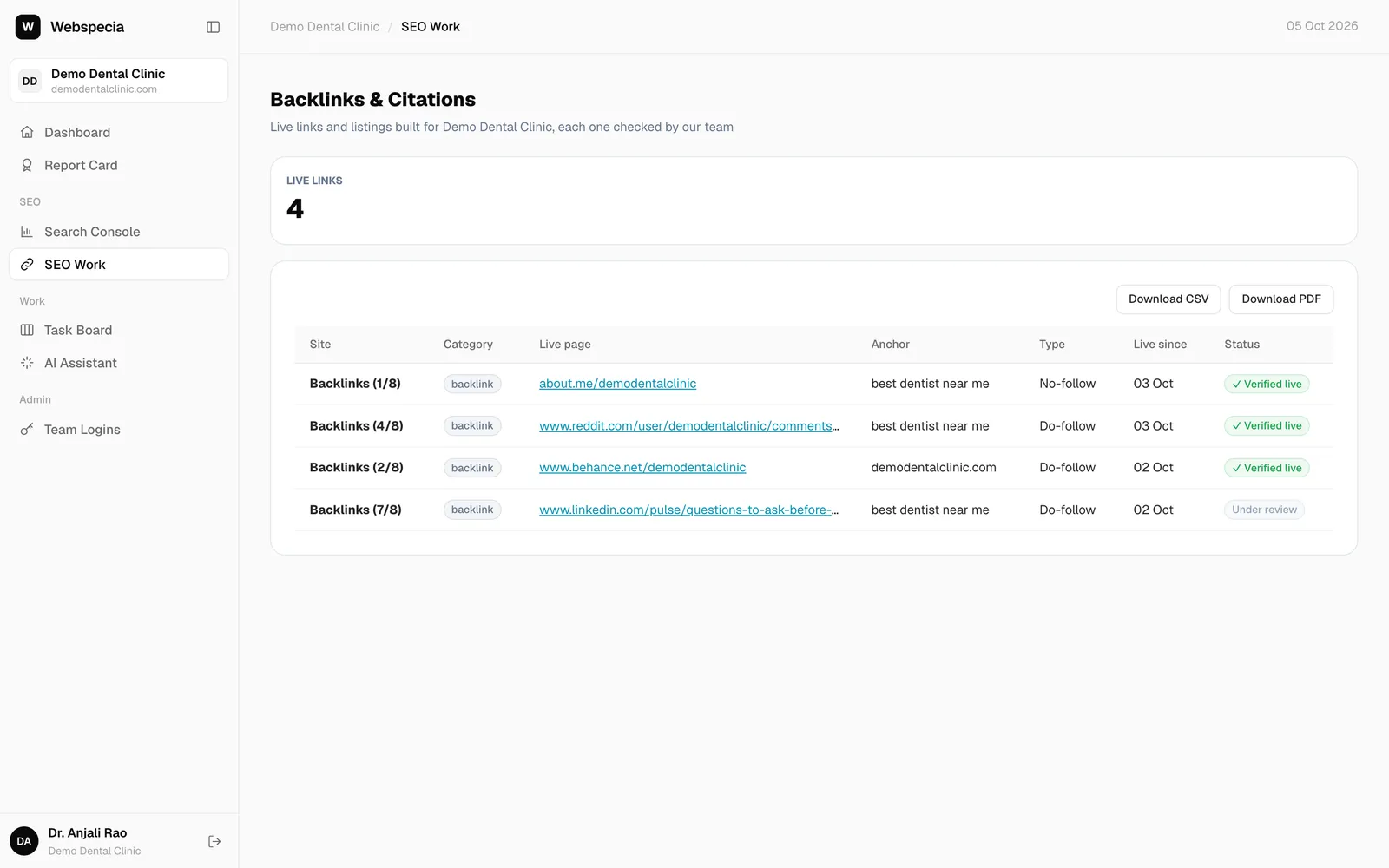
- Click SEO Work in the sidebar. The page is called Backlinks & Citations.
- At the top you see how many live links you have, by category (local citations, directories, review platforms, social profiles and more).
- The table lists each site, category, the live page, the anchor used, the link type and the date it went live.
Status
- ✓ Verified live: checked by AgencyHub and working.
- Under review: recently built, waiting for a check.
- Not checked yet: approved but not yet checked.
Every link is re-checked daily, so this list stays honest.
Related guides
For clients & business owners
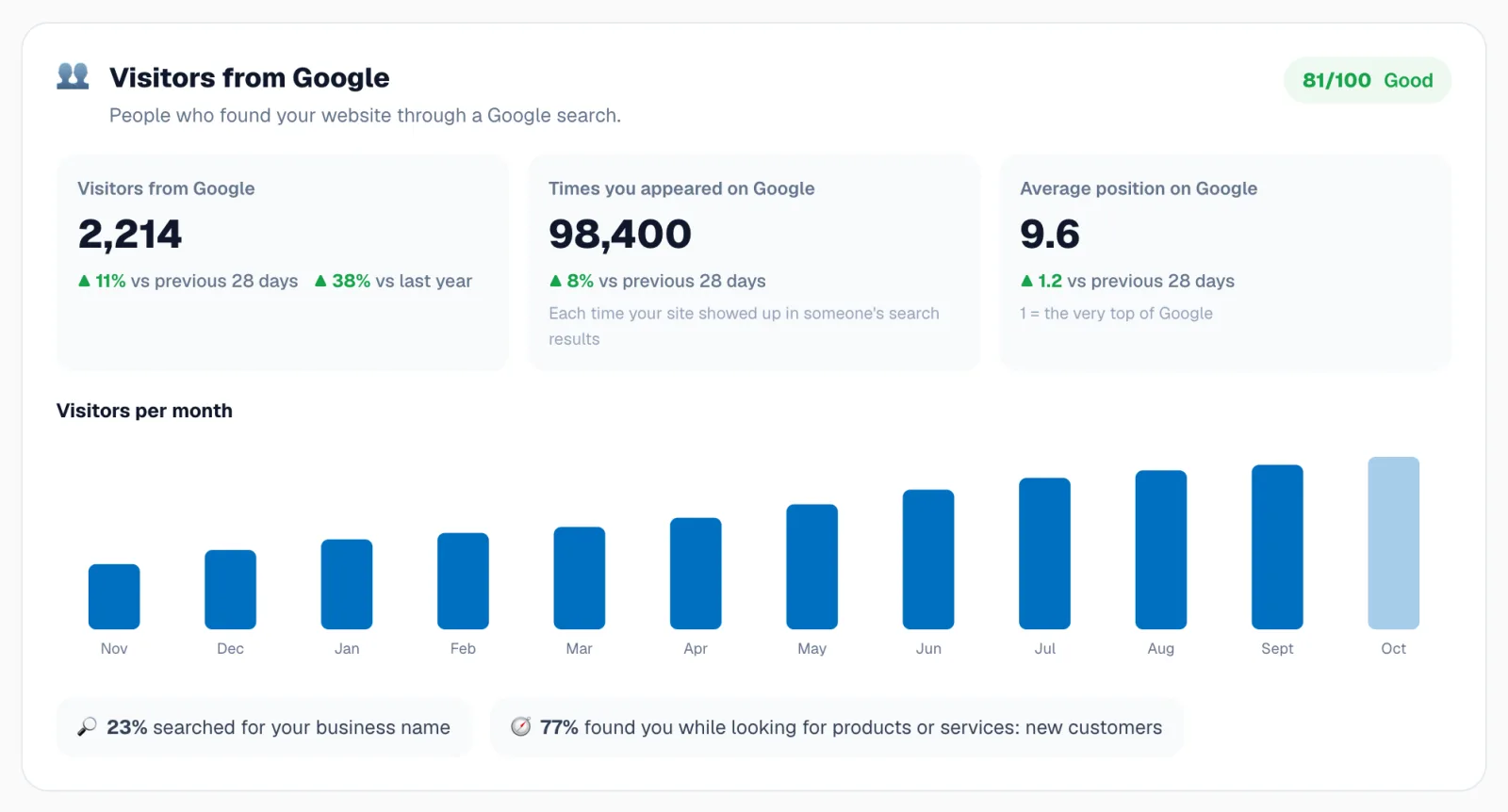
Report card sections explained
Visitors, rankings, best pages, content, website health, reputation, AI search and opportunities, one by one.
For clients & business owners
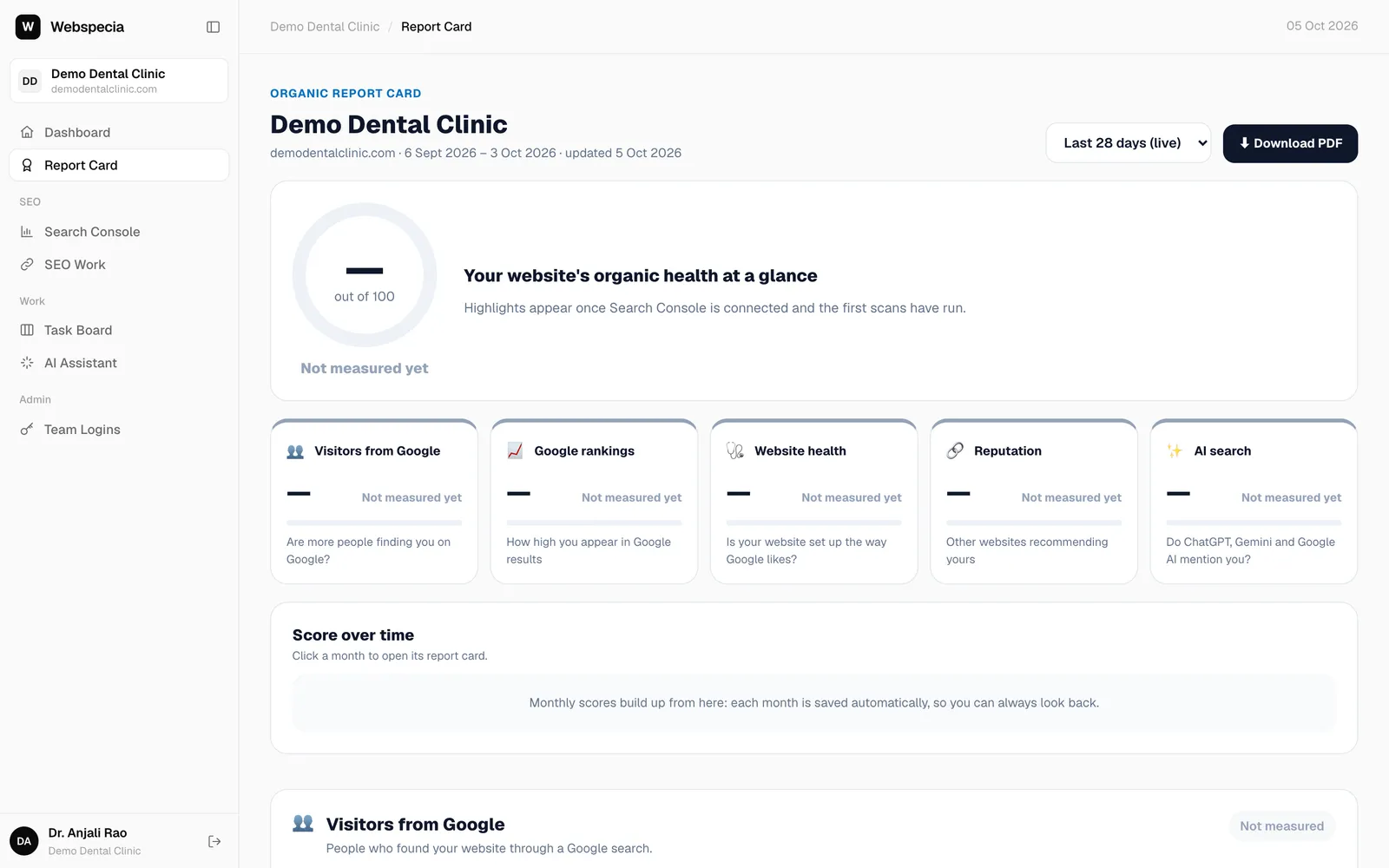
Download PDF reports
Save your report card, Search Console report or link list as a PDF, and receive monthly emails.
Still stuck? Our team will walk you through it.
Talk to Webspecia