
Browse all guides
For agency owners
- Get your agency account
- Create a client workspace
- Connect Google Search Console
- Add your team
- Give clients their own login
- Set monthly SEO plans
- Build your link library
- Create and apply niche profiles
- Review and approve work
- Monitor link health
- Track team performance
- Report cards and client emails
- Backlink profile
- Track AI search (AEO & GEO)
- Recurring tasks and the Task Board
For SEO specialists · 2 min read
Submit proof for each work type
The exact proof AgencyHub asks for: backlinks, content, on-page, technical and Google Business Profile.
Every task needs proof before it counts. Click Submit for review on an in-progress card and complete the form for its work type.
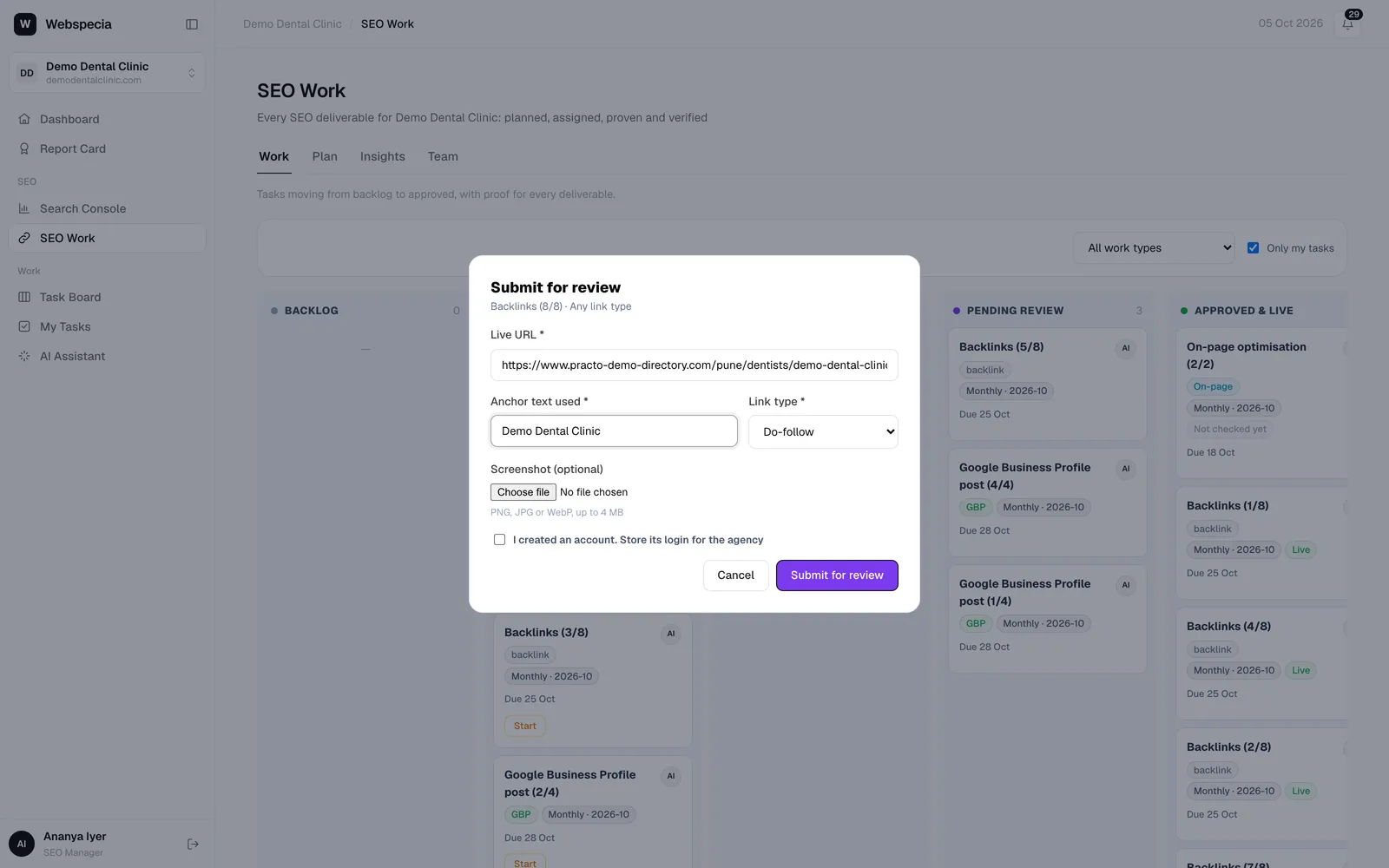
Backlink / citation
- Live URL *: the exact page with the link or listing.
- Anchor text used *: for citations, usually the business name.
- Link type *: Do-follow, No-follow, UGC or Sponsored. If the task required do-follow and you pick something else you’ll see a warning; it may be sent back.
Content
- Published URL *
- Target keyword *
- Word count *: at least 300.
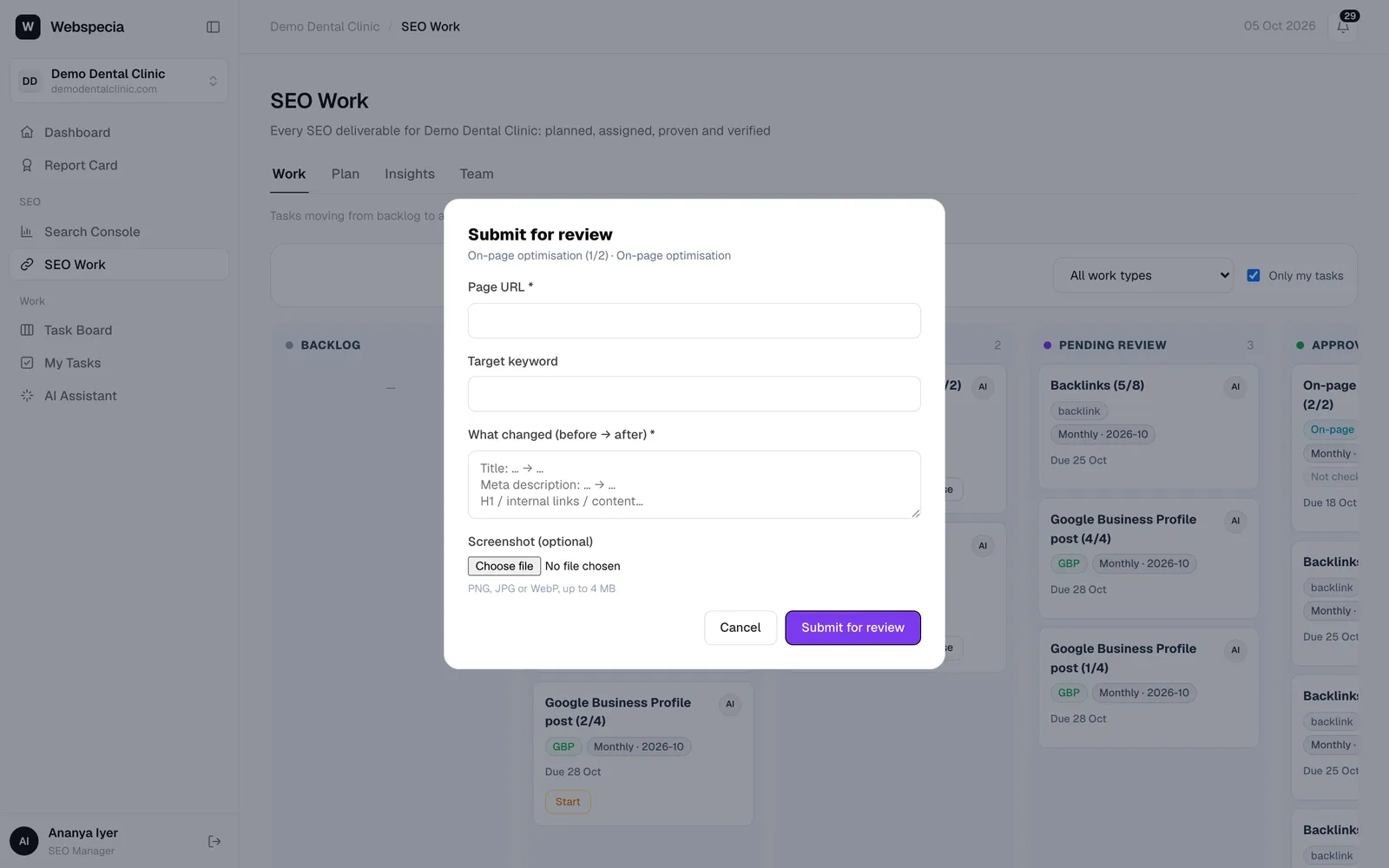
On-page
- Page URL *
- Target keyword
- What changed (before → after) *: for example “Title: Services → Dental Implants in Pune | Same-week appointments”.
Technical
- Issue found * and Fix applied *
- Evidence URL or a screenshot (one of the two is required).
Google Business Profile
- What was done *: Post published, Photos added, Q&A answered, Review replies or Profile updated.
- Summary *
- Post / profile link or a screenshot.
Screenshots
Attach a PNG, JPG or WebP up to 4 MB under Screenshot (optional). Screenshots are private to you and your admins.
Accounts you created
If you registered an account to get a listing, tick I created an account. Store its login for the agency and enter the login, password and notes. It is stored encrypted and only super admins can view it. It’s ticked automatically for Web 2.0 and social profile tasks.
Still stuck? Our team will walk you through it.
Talk to Webspecia