
Browse all guides
For agency owners
- Get your agency account
- Create a client workspace
- Connect Google Search Console
- Add your team
- Give clients their own login
- Set monthly SEO plans
- Build your link library
- Create and apply niche profiles
- Review and approve work
- Monitor link health
- Track team performance
- Report cards and client emails
- Backlink profile
- Track AI search (AEO & GEO)
- Recurring tasks and the Task Board
For clients & business owners · 2 min read
Add your own team logins
CEO logins can give staff their own access without asking the agency.
- Sign in with your CEO login and open Team Logins in the sidebar.
- Click + Add login.
- Enter a Name, Username, Email (so they can reset their own password) and a Password of at least 8 characters.
- Choose Access: Staff (sees everything, can’t delete), SEO Manager (only SEO pages and tasks) or Ads Manager (only Google Ads pages and tasks).
- Click Create login and share the details with them.
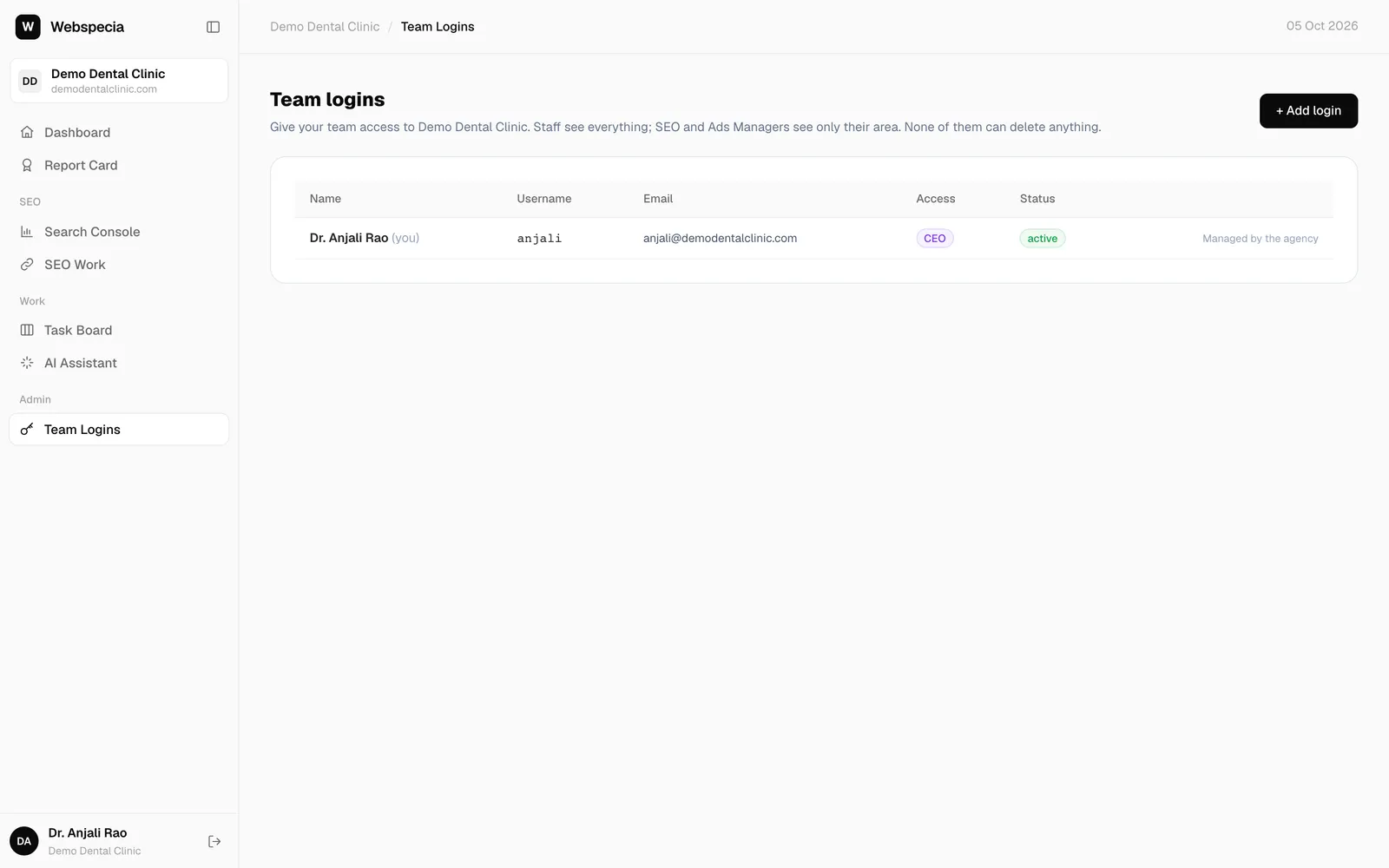
Manage logins
- Edit / reset password to change details.
- Disable to stop access temporarily, Enable to restore it.
- Delete removes a Staff login. For SEO or Ads Manager logins, use Disable.
Your own CEO login shows Managed by the agency: ask your agency if it needs changing.
Still stuck? Our team will walk you through it.
Talk to Webspecia