
Browse all guides
- Get your agency account
- Create a client workspace
- Connect Google Search Console
- Add your team
- Give clients their own login
- Set monthly SEO plans
- Build your link library
- Create and apply niche profiles
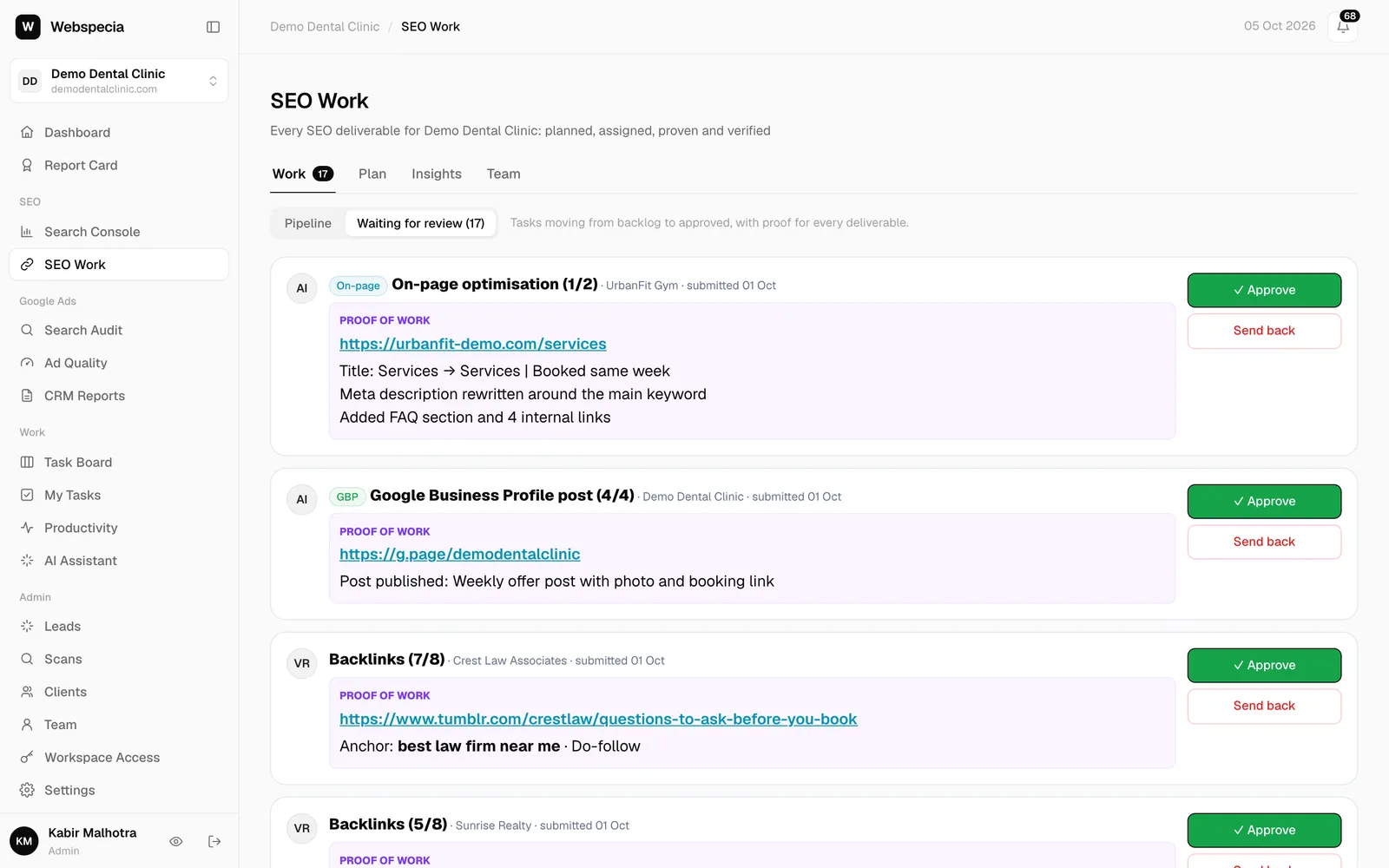
- Review and approve work
- Monitor link health
- Track team performance
- Report cards and client emails
- Backlink profile
- Track AI search (AEO & GEO)
- Recurring tasks and the Task Board
For agency owners · 3 min read
Set monthly SEO plans
Tell AgencyHub what each client gets every month. Tasks are created and assigned automatically.
A monthly plan is the list of deliverables a client pays for, such as “4 blog posts” or “10 local citations”. AgencyHub turns it into tasks every month and tracks whether you are on pace.
Add a deliverable
- Open the client workspace, then SEO Work → Plan → Monthly plan.
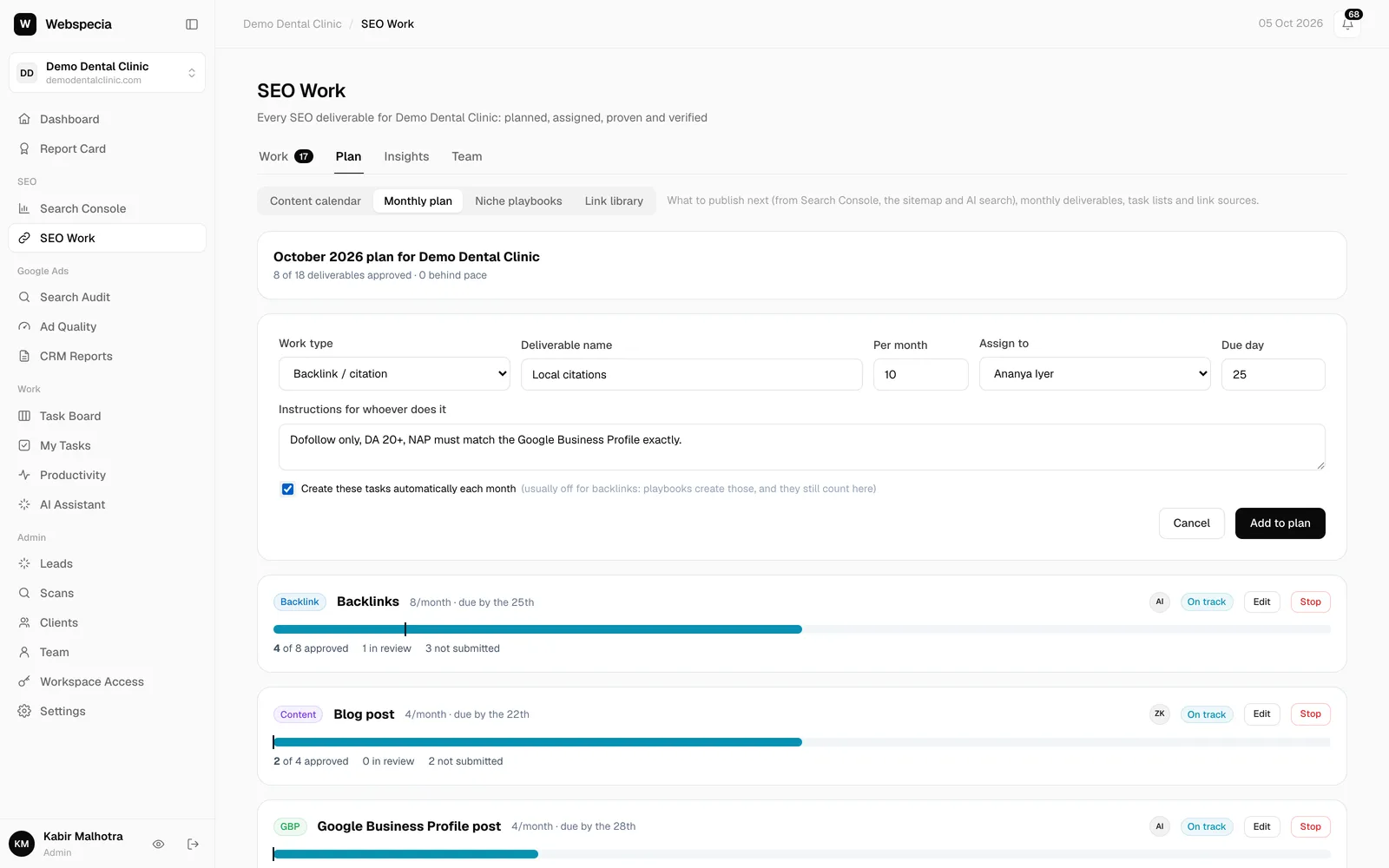
- Click + Add deliverable.
- Choose the Work type (Backlink / citation, Content, On-page, Technical or Google Business Profile) and give it a Deliverable name.
- Set how many Per month, who to Assign to (or Leave in backlog), and a Due day (1–28; blank means month end).
- Add Instructions for whoever does it, for example word counts, link rules or target pages.
- Leave Create these tasks automatically each month ticked, then click Add to plan.
What happens next
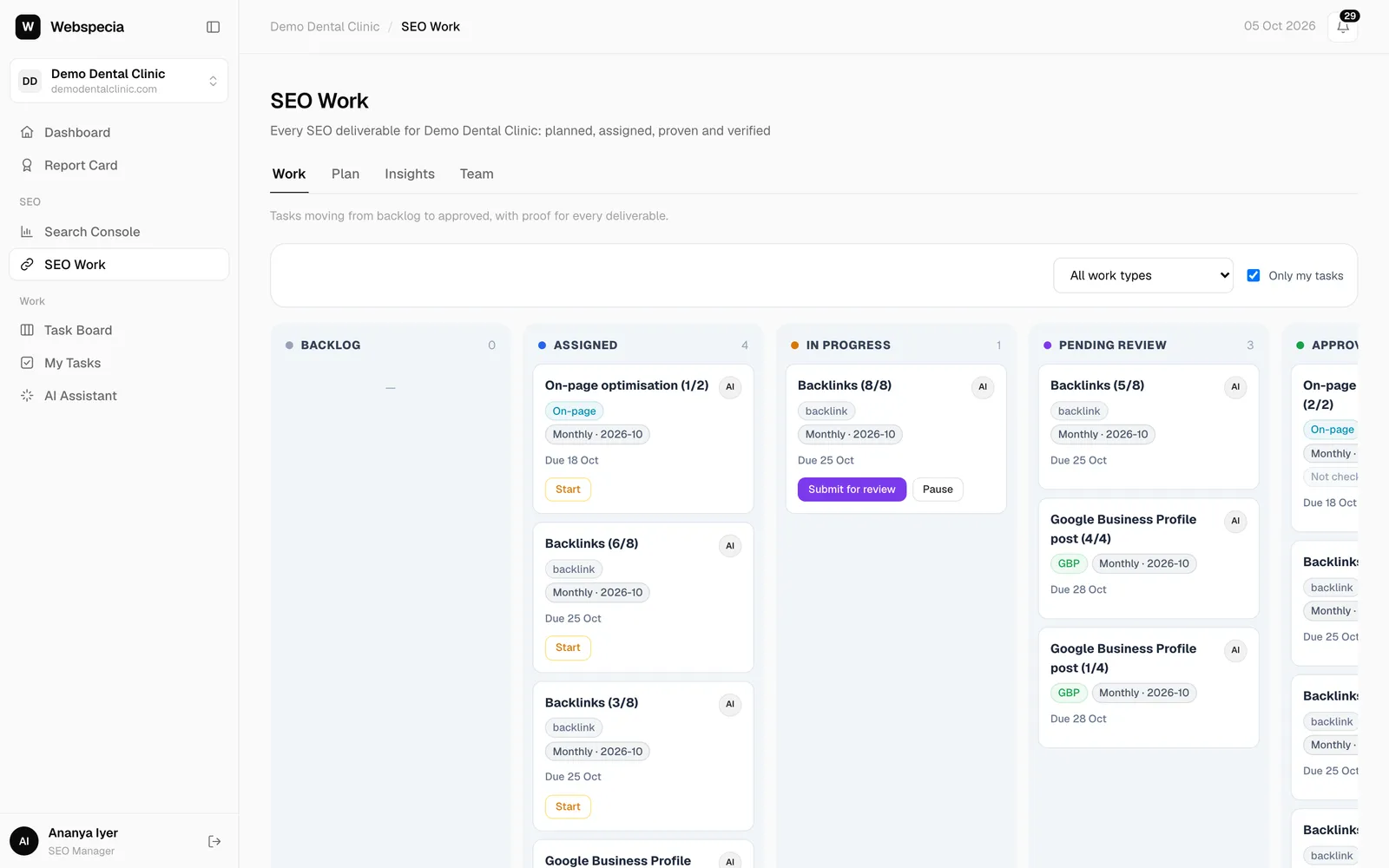
- This month’s tasks are created immediately, titled “Local citations (1/10)”, “(2/10)” and so on, with the due date you chose.
- Each assignee gets one notification, for example 10 new SEO tasks for 2026-10.
- On the 1st of every month (early morning, India time) the next month’s tasks are created automatically.
- Raising the quantity mid-month only adds the missing tasks.
Track pace
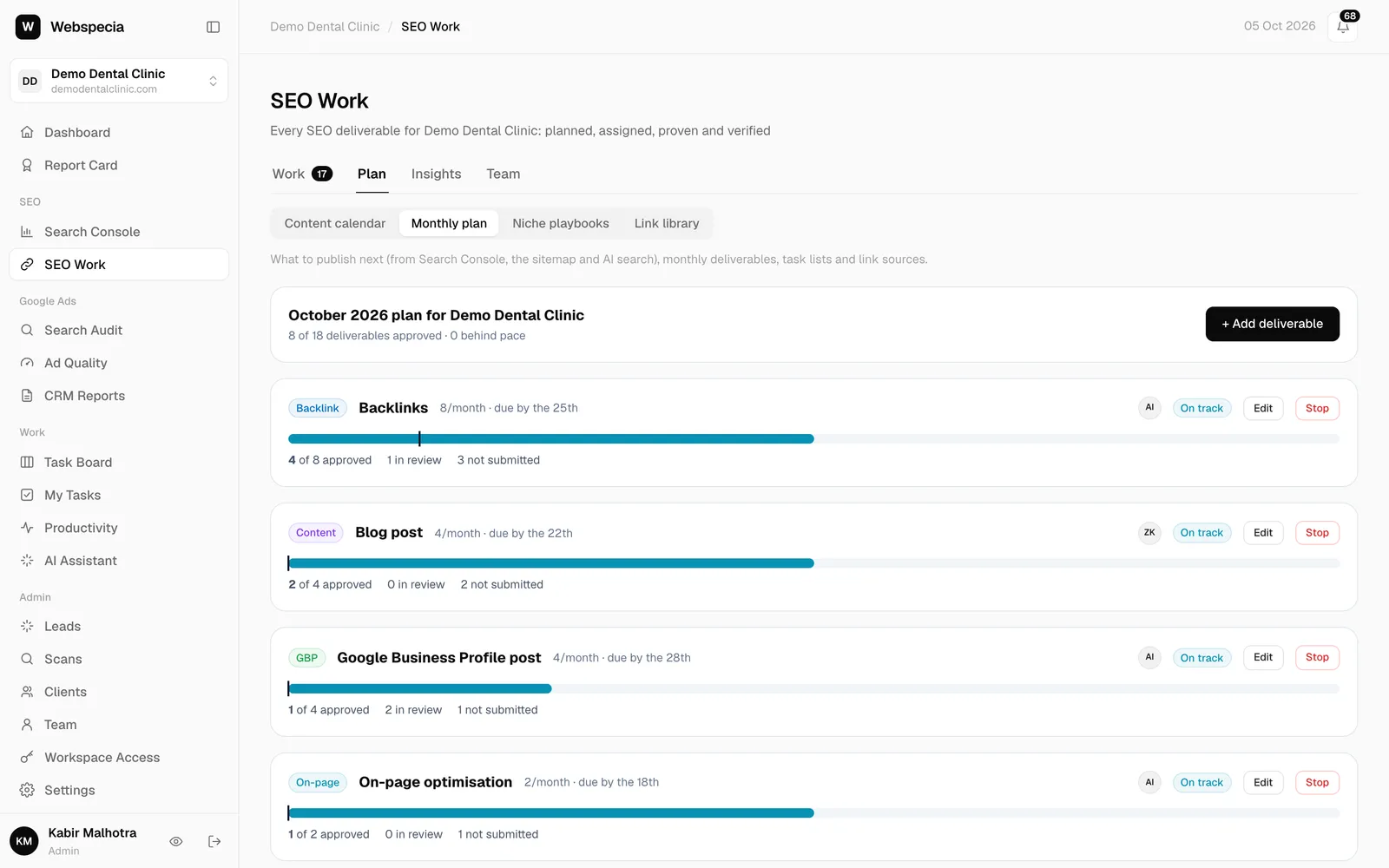
Each deliverable shows a progress bar, a marker for where you should be by today, and Done, On track or Behind. “Delivered” means approved this calendar month. Every Monday, admins get a notification listing deliverables that are behind plan.
Edit or stop
Click Edit to change quantity, assignee or instructions. Stop ends the deliverable and removes this month’s tasks that haven’t been started; finished work is kept.
Still stuck? Our team will walk you through it.
Talk to Webspecia